
 MElkhateeb
➡️ Introduction
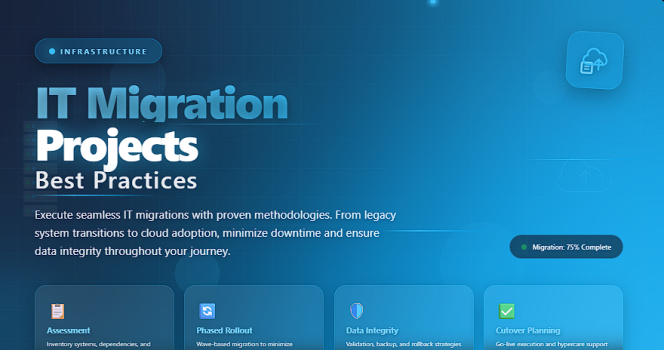
IT migration projects—whether moving data, applications, servers, or entire infrastructures—are some of the most complex and high-risk initiatives an organization can undertake.
A single mistake can cause system downtime, data loss, security breaches, or service interruptions that impact thousands of users.
Top 5 Project Management Software
This is why IT migration requires careful planning, strong governance, and proven execution practices.
In this article, we break down the best practices that professional project managers use to deliver migrations smoothly, safely, and without disruption.
✅ What Is an IT Migration Project?
An IT migration project involves moving systems, data, workloads, or applications from one environment to another.
This can include:
✔️ Data center migrations
✔️ Cloud migrations (AWS, Azure, GCP)
✔️ Email / collaboration platform migrations
✔️ Legacy system upgrades
✔️ Database migrations
✔️ Storage and infrastructure migrations
Each type carries its own timeline, risks, and technical complexities—but all require disciplined project management.
✅ Why IT Migrations Are So Challenging
IT migrations introduce risk because they involve:
- mission-critical systems
- sensitive data
- technical dependencies
- limited downtime windows
- multiple stakeholders
- legacy infrastructure
Even minor oversights can disrupt business operations, making planning essential.
✅ Best Practices for Successful IT Migrations
Essential principles followed by expert project managers.
| Best Practice | Why It Matters | How to Apply It |
|---|---|---|
| Comprehensive Assessment | Reduces unknowns, clarifies dependencies, and removes surprises. | Map all systems, integrations, data sources, and constraints. |
| Strong Governance | Keeps decisions aligned across business and technical teams. | Define decision roles, escalation paths, and approval workflows. |
| Detailed Migration Plan | Ensures clear sequencing and avoids downtime conflicts. | Include timelines, cutover steps, rollback plans, and resource plans. |
| Testing at Every Stage | Prevents defects and failures during cutover. | Conduct system, integration, performance, and user acceptance testing. |
| Data Integrity Validation | Protects against data loss, corruption, or duplication. | Perform pre-migration cleansing, checksums, and reconciliation. |
| Rollback Strategy | Ensures business continuity when issues occur. | Document exact reverse steps, triggers, and fallback conditions. |
| Post-Migration Monitoring | Detects problems early after go-live. | Track performance, errors, logs, and user feedback. |
✅ Deep Dive: How to Apply IT Migration Best Practices
✔️ 1. Start with a Complete System Assessment
Before planning any migration, map:
- all applications
- integrations and APIs
- databases and storage
- user groups
- SLAs and uptime requirements
- security rules
- network capacity
- compliance constraints
This assessment prevents hidden risks from appearing later.
✔️ 2. Build a Detailed End-to-End Migration Plan
A migration plan should include:
✔️ inventory of all assets
✔️ cutover schedule
✔️ dependencies
✔️ technical steps for each phase
✔️ resource assignments
✔️ validation checkpoints
✔️ communication plan
✔️ fallback/rollback strategy
Treat the migration plan as a technical blueprint and a project roadmap.
✔️ 3. Prioritize Testing as a Core Activity
Testing is not a phase — it is an ongoing discipline. Conduct:
- functional tests
- integration tests
- performance and load tests
- security tests
- user acceptance tests (UAT)
Every test reduces risk and increases confidence.
✔️ 4. Protect Data Integrity
Data issues are the biggest source of migration failures.
Use:
✔️ data profiling
✔️ cleansing
✔️ pre/post migration comparisons
✔️ automated validation tools
✔️ checksum and hash verification
Your rule: never migrate corrupt data.
✔️ 5. Prepare a Strong Rollback Plan
Even the best migrations can fail due to unexpected events.
A rollback plan ensures that the business keeps running.
A good rollback plan should specify:
- exactly how to revert
- at what point to stop the migration
- who approves a rollback
- how long rollback will take
If rollback is unclear, the migration is not ready.
✔️ 6. Monitor Intensively After Go-Live
The first 48–72 hours after cutover are critical.
Monitor:
✔️ application performance
✔️ error logs
✔️ user issues
✔️ integration health
✔️ security alerts
Immediate attention prevents small issues from escalating.
✔️ 7. Document Lessons Learned
After stabilization, always capture:
✔️ what worked
✔️ what failed
✔️ unforeseen risks
✔️ technical insights
✔️ improvements for future migrations
IT teams often repeat mistakes simply because no one documented them.
⭐ Final Thoughts
IT migrations are high-stakes projects with little room for error.
But with strong governance, deep planning, rigorous testing, and constant monitoring, they can be delivered safely and successfully.
The best migration projects are not defined by speed —
they are defined by stability, accuracy, and zero disruption.






