
 MElkhateeb
➡️ Introduction
As projects grow in size and complexity, task lists alone are no longer enough.
Project managers need a clear view of when work happens, how tasks relate, and which moments truly matter for delivery.
Top 5 Project Management Software
This is where Timeline and Milestones become essential.
In Asana, the Timeline and Milestone features work together to help teams plan schedules visually, understand dependencies, and track progress toward meaningful checkpoints — without creating overly complex plans.
This article explains how Asana’s Timeline and Milestone features work, when to use them, and how project managers can apply them effectively to improve clarity, alignment, and delivery confidence.
✅ What Is the Asana Timeline?
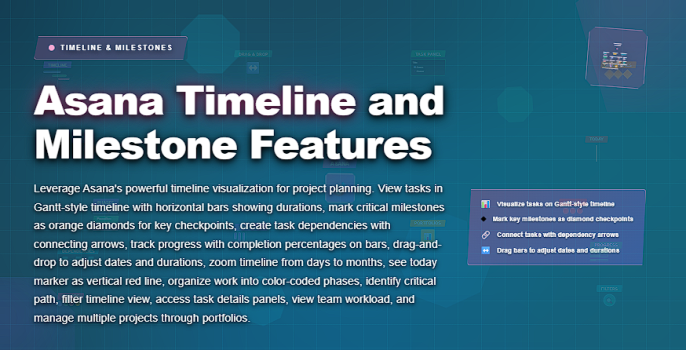
The Timeline in Asana is a visual, Gantt-style view of a project that shows:
✔️ tasks laid out over time
✔️ start and due dates
✔️ task dependencies
✔️ overlaps and conflicts
✔️ overall project duration
Unlike static schedules, Asana’s Timeline updates automatically when tasks change.
If a task is delayed or rescheduled, dependent tasks adjust accordingly.
This makes the Timeline a planning and coordination tool, not just a reporting view.
✅ What Are Milestones in Asana?
Milestones in Asana are special task types used to represent significant project checkpoints rather than regular work activities.
Examples include:
✔️ phase completions
✔️ approvals or sign-offs
✔️ key handovers
✔️ major deliverables
✔️ go-live dates
Milestones help teams answer one critical question:
“Are we on track to hit what really matters?”
They provide structure without overwhelming the project with unnecessary detail.
📌 Why Timeline and Milestones Work Best Together
Used separately, Timeline and Milestones are helpful.
Used together, they create a powerful planning system.
Timeline answers:
✔️ When does work happen?
✔️ How do tasks relate?
Milestones answer:
✔️ What outcomes matter most?
✔️ Where should we check progress?
Together, they give project managers both flow and focus.
📌 When Should Project Managers Use Asana Timeline?
Timeline is most effective when:
✔️ tasks have dependencies
✔️ delivery dates are important
✔️ multiple people work in parallel
✔️ priorities shift during execution
✔️ stakeholders need visual clarity
If work is sequential or deadline-driven, Timeline adds immediate value.
📌 When Should Milestones Be Used?
Milestones are most effective when you need to:
✔️ track phase completion
✔️ align teams around shared goals
✔️ communicate progress to stakeholders
✔️ reduce noise from minor tasks
✔️ focus reviews on outcomes, not activity
Too many milestones reduce clarity.
The goal is signal, not volume.
✅ Practical Use of Asana Timeline and Milestones
How to combine scheduling visibility with outcome-focused tracking.
| Feature | How to Use It | Why It Matters |
|---|---|---|
| Timeline View | Lay out tasks across dates and link dependencies. | Provides a clear visual of project flow and timing. |
| Task Dependencies | Connect tasks that rely on one another. | Prevents unrealistic schedules and hidden delays. |
| Milestones | Mark major deliverables or decision points. | Keeps focus on outcomes instead of activity volume. |
| Timeline Adjustments | Drag tasks to reschedule work as priorities change. | Supports adaptive planning without rebuilding plans. |
| Milestone Tracking | Review milestone status during project check-ins. | Provides fast, high-level progress visibility. |
| Stakeholder Sharing | Share Timeline view instead of detailed task lists. | Improves communication and reduces status noise. |
❌ Common Mistakes When Using Timeline and Milestones
❌ adding start and due dates to every task without logic
❌ overloading the Timeline with unnecessary detail
❌ creating too many milestones
❌ ignoring dependencies
❌ updating tasks but not reviewing milestones
❌ treating Timeline as a reporting tool only
These mistakes reduce clarity and trust in the plan.
⭐ Best Practices for Project Managers
✔️ define task logic before adjusting dates
✔️ use milestones sparingly and intentionally
✔️ review Timeline weekly, not daily
✔️ keep milestones outcome-focused
✔️ share Timeline views for alignment
✔️ adjust plans proactively as conditions change
⭐ Final Thoughts
Asana’s Timeline and Milestone features are not about controlling every task —
they are about creating shared understanding of time and outcomes.
When used effectively, they help teams:
✔️ visualize work clearly
✔️ anticipate delays early
✔️ stay aligned on priorities
✔️ reduce confusion and rework
✔️ deliver with confidence
Great project managers don’t just track tasks.
They design plans that show how work flows and where success truly matters — and Asana’s Timeline and Milestones make that possible.






