
 MElkhateeb
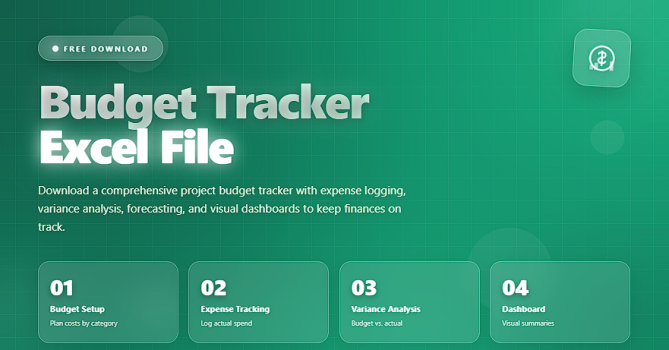
➡️ Introduction
Managing personal or business finances doesn’t need complex software or expensive subscriptions.
With a well-designed Budget Tracker Excel file, you can plan your income, track every expense, monitor savings, and see your financial health in one clean, structured dashboard.
Top 5 Project Management Software
Instead of guessing where your money went at the end of the month, this template gives you:
✔️ full visibility
✔️ organized categories
✔️ automatic summaries
✔️ clear charts and totals
Whether you’re an individual, a freelancer, or a small business owner, a budget tracker spreadsheet can become your daily financial command center.
✅ What Is a Budget Tracker Excel File?
A Budget Tracker Excel File is a ready-made spreadsheet template that helps you:
- plan your monthly income and spending
- record actual transactions
- compare planned vs. actual
- track savings and debt
- visualize your financial progress over time
Instead of building formulas from scratch, everything is already structured:
✔️ predefined categories (rent, utilities, groceries, subscriptions, etc.)
✔️ drop-down lists for faster data entry
✔️ automated totals, charts, and summaries
✔️ monthly and yearly overviews
You simply enter your numbers, and the spreadsheet does the calculations.
✅ Key Features of a Professional Budget Tracker Template
You can adapt this section to match your actual file content, but a strong Budget Tracker Excel file typically includes:
✔️ 1. Income Planner & Tracker
- Plan your expected income (salary, freelance, side jobs, other sources)
- Record actual amounts received
- See total income per month and per year
✔️ 2. Expense Tracking by Category
- Log daily, weekly, or monthly expenses
- Assign each expense to a category (e.g., Housing, Food, Transport, Utilities, Subscriptions, Entertainment)
- Quickly see where most of your money goes
✔️ 3. Monthly Budget vs. Actual Comparison
- Set a target budget for each category
- Compare planned vs. actual spending
- Highlight overspending or underspending areas
✔️ 4. Savings & Goals Tracker
- Define savings goals (emergency fund, vacation, investments, large purchases)
- Track contributions by month
- Monitor progress towards each goal
✔️ 5. Debt & Installment Tracking (Optional but Recommended)
- List loans, credit cards, or installments
- Track outstanding balance and payments
- See how much you still owe and when you’ll be debt-free
✔️ 6. Dashboard & Summary View
- Overview of total income, expenses, savings, and net balance
- Simple charts to show spending distribution by category
- Quick view of whether you are on track, overspending, or saving more than planned
✔️ 7. Ready for Excel & Google Sheets
- Works in Excel on Windows & Mac
- Easily upload to Google Sheets for online access and sharing
- 100% editable and customizable
✅ Who Should Use This Budget Tracker Excel File?
This type of template is ideal for:
✔️ Individuals & Families – to manage household expenses and savings
✔️ Freelancers & Solo Professionals – to track income from multiple clients and control expenses
✔️ Students – to manage limited budgets and avoid overspending
✔️ Small Business Owners – to track cash flow in a simple, clear way before moving to advanced accounting tools
If you want a clear, non-overwhelming view of your money, this template is designed for you.
✅ How to Use the Budget Tracker (Step-by-Step)
You can use this section as “mini documentation” inside your product page or user guide.
✔️ Step 1 – Set Up Your Currency and Starting Month
- Choose your currency symbol (e.g., $, €, £, SAR, EGP)
- Select the starting month of your budgeting year (January, July, etc.)
✔️ Step 2 – Customize Your Categories
- Open the Categories or Settings sheet
- Review default categories (housing, utilities, food, etc.)
- Add, rename, or remove categories to match your real life
✔️ Step 3 – Enter Planned Budget
- Go to the Monthly Budget sheet
- For each category, enter how much you plan to spend this month
- Add any expected income sources and planned amounts
✔️ Step 4 – Record Actual Transactions
- Each time you spend or receive money, log it in the Transactions or Expenses sheet:
- date
- category
- description (optional)
- amount
- The template will automatically update your totals and summaries
✔️ Step 5 – Review Your Dashboard
- Open the Dashboard sheet
- Review:
- total income vs. total expenses
- net savings (or deficit)
- top spending categories
- progress toward savings or debt goals
✔️ Step 6 – Adjust and Improve Month by Month
- At the end of each month, compare:
- planned budget vs. actual spending
- where you overspent
- where you can cut costs next month
This is where real financial improvement happens – you learn and adjust.
✅ Benefits of Using a Budget Tracker Excel File
Using a structured template gives you advantages that manual tracking or banking apps alone do not:
- Clarity – All your data in one view: income, expenses, savings, and debts
- Control – You see patterns early and can decide where to cut or increase spending
- Motivation – Watching your savings and goals grow keeps you engaged
- Flexibility – You can fully customize formulas, categories, and design
- Privacy – Your data stays offline (Excel) or in your own cloud (Google Drive)
✅ Tips for Getting the Most Out of Your Budget Tracker
✔️ Update the file regularly – ideally daily or every few days
✔️ Be honest with your numbers – include even “small” expenses
✔️ Group subscriptions and recurring payments clearly
✔️ Use filters to review specific categories or time periods
✔️ Review your dashboard weekly and monthly
✔️ Set realistic savings goals and track progress visually
Over time, this becomes less of a task and more of a habit.
⭐ Final Thoughts
A Budget Tracker Excel File is one of the simplest yet most powerful tools to improve your financial life.
You don’t need to be a finance expert or an Excel guru – with a well-designed template, you only need to enter your numbers and let the file do the rest.
When you can see your money clearly, you can control it.
When you control it, you can direct it toward the life and goals you really want.






