
 MElkhateeb
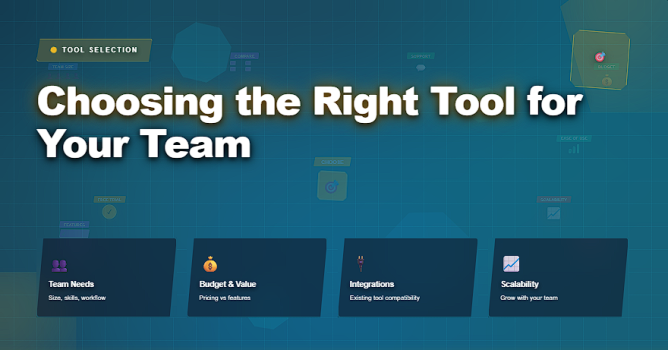
➡️ Introduction
Choosing a tool for your team is often one of the most impactful decisions a project manager makes — yet it is also one of the most misunderstood.
Teams frequently adopt tools based on familiarity, popularity, or management pressure, instead of careful consideration of team needs, workflows, and long-term value.
Top 5 Project Management Software
The right tool doesn’t just automate work — it shapes how teams plan, communicate, execute, and adapt. The wrong tool, on the other hand, creates friction, confusion, and inefficiency.
This article explains how to approach tool selection systematically, what criteria matter most, and how to choose solutions that support sustainable work, not tool overload.
✅ Why Choosing the Right Tool Matters
Tools are not neutral. They influence:
✔️ how work is visualized
✔️ how priorities are negotiated
✔️ how teams communicate
✔️ how progress is measured
✔️ how accountability is tracked
The wrong tool can lead to:
❌ unclear workflows
❌ duplicate work
❌ misaligned expectations
❌ increased context switching
❌ hidden bottlenecks
But the right tool provides clarity, accelerates coordination, and supports predictable delivery.
📌 Core Questions to Ask Before Choosing a Tool
Before evaluating any tool, answer these foundational questions:
1️⃣ What problem are we solving?
Is it scheduling? Resource planning? Task coordination? Time tracking?
2️⃣ Who will use the tool?
Technical PMs? Cross-functional teams? Frontline staff?
3️⃣ What workflows already exist?
Are we replacing or complementing an existing process?
4️⃣ What integrations do we need?
Calendars, communication systems, reporting platforms?
5️⃣ What is our team’s maturity with tools?
Beginner, intermediate, or advanced?
Answering these questions creates a decision lens for tool selection.
📌 Three Common Tool Archetypes
Most tools fall into one of these broad categories (but many overlap):
1️⃣ Visual Planning Tools
Focus on intuitive scheduling (boards, timelines, cards).
2️⃣ Structured Project Tools
Full planning, dependencies, and reporting.
3️⃣ Simple Task Trackers
Lightweight checklists and assignments.
Understanding which archetype you need guides your choice.
✅ Tool Selection Criteria for Teams
A structured checklist to evaluate and compare planning tools.
| Criteria | What to Check | Why It Matters |
|---|---|---|
| Core Functionality | Does it support your core use case (scheduling, tracking, dependencies)? | Ensures tool solves the problem you are addressing. |
| Ease of Use | Can your team onboard quickly? | Reduces friction and improves adoption. |
| Customization | Can you tailor views, fields, and workflows? | Supports unique team needs and growth. |
| Integrations | Does it connect with calendars, reporting, comms, etc.? | Keeps work connected, not siloed. |
| Scalability | Can the tool grow with your team and projects? | Prevents costly migrations later. |
| Cost & Value | Does pricing match team size and usage? | Avoid unnecessary expenditure. |
✅ Choosing Tools Based on Team Size & Needs
Different teams benefit from different solutions:
- Small Teams & Simple Work – lightweight boards or spreadsheets
- Growing Teams & Cross-Functional Work – visual planners with dependencies
- Large Projects & Shared Resources – structured tools with resource views
- Complex Schedules & Dependencies – enterprise planning systems
Choosing without context often leads to tool fatigue.
✅ Common Mistakes When Selecting Tools
❌ choosing based on popularity alone
❌ ignoring team workflows
❌ skipping a pilot or trial run
❌ not involving end users in evaluation
❌ over-automating before needs are clear
❌ buying before defining requirements
These mistakes create tool sprawl and low adoption.
⭐ Best Practices for Tool Selection
✔ define requirements first
✔ involve stakeholders early
✔ run a controlled pilot
✔ measure adoption and outcomes
✔ iterate rather than flip instantly
✔ choose for fit, not feature count
⭐ Final Thoughts
Choosing the right tool is not about the latest feature — it is about the team’s ability to use it well every day.
The best tool amplifies clarity, reduces confusion, and fits into how the team already works.
Great project managers don’t chase software trends.
They choose solutions that align with team workflows, capacity, and long-term goals.






