
 MElkhateeb
➡️ Introduction
Choosing the right scheduling tool is a pivotal decision for every project manager and team lead. While many platforms promise to simplify planning and team coordination, ClickUp and Monday.com stand out as two of the most popular choices in 2025 — both capable, versatile, and widely adopted across industries.
Top 5 Project Management Software
But when it comes specifically to scheduling work, resource allocation, timeline clarity, and handling dependencies, these tools take different approaches. Understanding their strengths and trade-offs helps you select the solution that fits your team’s workflow, complexity level, and long-term needs.
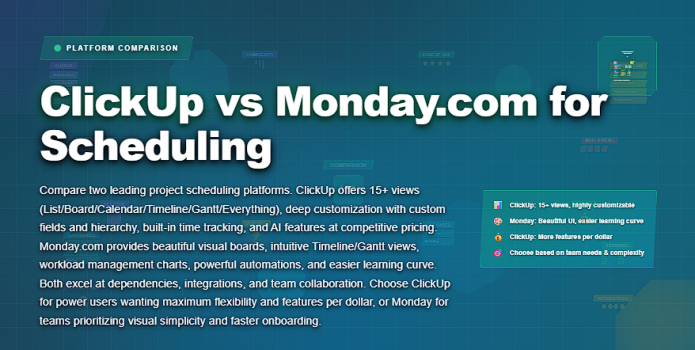
This article compares ClickUp vs Monday.com for scheduling, covering how each handles timelines, task planning, dependencies, workload views, automation, and usability for teams of all sizes.
✅ What Does “Scheduling” Mean in Modern Work Tools?
In a project context, scheduling goes beyond placing tasks on dates. A scheduling system must:
✔️ visualize work across time
✔️ show task relationships and dependencies
✔️ reveal resource availability and overload
✔️ support adjustments when plans change
✔️ provide team and stakeholder clarity
Today’s work tools position scheduling as a planning engine rather than a static calendar.
✅ Quick Overview: ClickUp vs Monday.com
A high-level comparison focused on scheduling capabilities.
| Category | ClickUp | Monday.com |
|---|---|---|
| Scheduling Views | Timeline and Gantt with advanced controls | Timeline and Gantt with strong visual clarity |
| Task Dependencies | Robust dependency logic and relationships | Easy-to-use dependency linking |
| Workload Management | Detailed workload and capacity views | Clear workload visualization by assignee |
| Ease of Use | Moderate learning curve | Beginner-friendly and intuitive |
| Best Fit | Complex projects and advanced planning | Visual scheduling and cross-team coordination |
➡️ Scheduling in ClickUp: Strengths & Considerations
ClickUp positions itself as an all-in-one work platform. Its scheduling capabilities are powerful, especially for teams that need flexibility and depth.
Key Scheduling Features in ClickUp
- Timeline View – visualize tasks across dates
- Gantt Chart View – shows dependencies and critical paths
- Dependencies & Relationships – link tasks to enforce sequencing
- Workload View – see who is overloaded or underutilized
- Custom Fields & Automations – tailor workflows to team needs
- Recurring Tasks & Automations – reduce manual scheduling work
Strengths
✔ Highly customizable scheduling and task structure
✔ Strong dependency logic and visualization
✔ Rich automation capabilities
✔ Excellent for project managers who need deep control
Considerations
⚠ Steeper learning curve for beginners
⚠ Setup and configuration can be time-intensive
Best for
Agile teams, technical project managers, multi-project planners, and resource-intensive workflows that require flexible logic.
➡️ Scheduling in Monday.com: Strengths & Considerations
Monday.com emphasizes visual clarity and simplicity. Its scheduling tools are designed for quick adoption and transparent collaboration.
Key Scheduling Features in Monday.com
- Timeline View – flexible horizontal scheduling
- Gantt View – visualize task dependencies and durations
- Workload View – see resource allocation across tasks
- Automations – trigger alerts based on dates or task changes
- Integrations – native sync with calendars and communication tools
- Prebuilt Templates – quick starts for common workflows
Strengths
✔ Intuitive interface with low learning barrier
✔ Attractive visual cues and easy drag-and-drop scheduling
✔ Strong ecosystem with integrations across work tools
✔ Excellent for team alignment and stakeholder communication
Considerations
⚠ May feel less flexible for deeply customized project logic
⚠ Advanced scheduling nuances may require thoughtful setup
Best for
Teams that value simplicity, transparency, and visual planning without heavy administrative overhead — especially cross-functional teams and non-technical users.
✅ ClickUp vs Monday.com — Scheduling Feature Comparison
How the platforms compare across key scheduling capabilities.
| Feature | ClickUp | Monday.com |
|---|---|---|
| Timeline & Gantt Views | Advanced Timeline and Gantt with dependencies | Strong Timeline and Gantt with visual simplicity |
| Task Dependencies | Yes — rich linking and constraint options | Yes — intuitive linking and visual cues |
| Workload / Resource View | Comprehensive Workload view with capacity metrics | Workload view with color indicators and assignments |
| Automation Support | High — conditional and recurring automation options | High — easy triggers and integrations |
| Ease of Use for Scheduling | Moderate — flexible but deeper learning curve | Beginner-friendly — visual and intuitive |
| Template Support | Extensive custom templates available | Many scheduling templates out of the box |
✅ When to Choose ClickUp for Scheduling
Choose ClickUp if you need:
✔️ deep customization of workflows
✔️ complex dependency logic
✔️ rich automation rules
✔️ comprehensive workload and capacity views
✔️ detailed planning for layered projects
ClickUp excels when flexibility and precision matter most.
✅ When Monday.com Is a Better Fit
Choose Monday.com if you want:
✔️ lower learning curve
✔️ visual simplicity and clarity
✔️ drag-and-drop scheduling
✔️ strong cross-team alignment
✔️ easy template adoption
Monday.com shines for teams that need fast, collaborative scheduling without complexity.
❌ Common Pitfalls to Avoid
❌ picking a tool based on brand popularity instead of real needs
❌ ignoring resource constraints when scheduling
❌ over-complicating boards with unnecessary fields
❌ failing to align teams on how scheduling logic will be used
❌ assuming one tool handles every workflow perfectly
Avoiding these mistakes makes tool adoption smoother.
⭐ Best Practices for Scheduling Regardless of Tool
✔️ define your scheduling criteria before choosing a tool
✔️ set clear dependencies
✔️ involve key users in setup and workflow design
✔️ integrate with calendars and communication platforms
✔️ review scheduling health weekly
✔️ keep schedules aligned with actual work progress
⭐ Final Thoughts
Both ClickUp and Monday.com offer powerful scheduling capabilities in 2025, but they serve slightly different needs:
➡ ClickUp is deep, flexible, and precise — ideal for experienced PMs and complex workflows.
➡ Monday.com is clean, intuitive, and visual — ideal for teams that value clarity and collaboration.
Great project managers don’t just pick software —
they match the tool to the work and the team’s workflow maturity.






