
 MElkhateeb
➡️ Introduction
The Critical Path Method (CPM) is one of the most powerful tools in project management. It helps project managers identify the longest sequence of activities, understand which tasks cannot slip, and forecast the earliest possible project completion date.
Top 5 Project Management Software
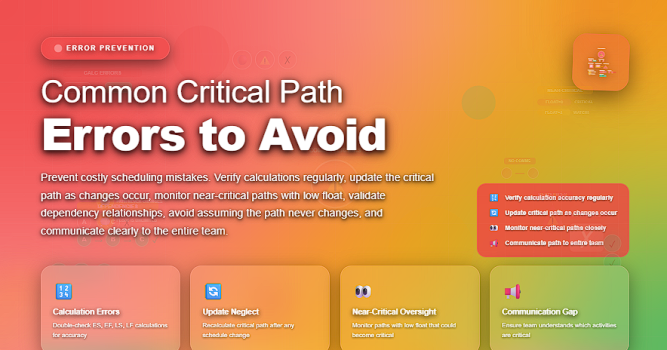
However, even experienced project managers make mistakes when building or maintaining the critical path. These errors often lead to incorrect schedules, missed deadlines, and poor resource allocation.
This article explains the most common critical path errors and how to avoid them so your schedules remain accurate, realistic, and actionable.
✅ Why Critical Path Errors Matter
A small mistake in CPM can create major project issues:
✔️ Misleading timelines
✔️ Underestimating delays
✔️ Incorrect resource planning
✔️ Higher project costs
✔️ Surprises late in the project
To maintain control, project managers need to understand the mistakes that commonly distort the critical path — and how to prevent them.
✅ 1. Missing Dependencies Between Tasks
One of the most frequent errors is forgetting to define proper dependencies between activities.
If Task B actually relies on Task A, but no link is created, the schedule becomes misleading.
As a result:
- the critical path becomes inaccurate
- slack/float values become meaningless
- the schedule suggests unrealistic parallel work
How to avoid it:
✔️ Identify all logical dependencies (FS, SS, FF, SF)
✔️ Validate dependencies with the team
✔️ Avoid excessive “soft” links that don’t reflect real constraints
✅ 2. Using Arbitrary or Unrealistic Durations
CPM relies heavily on accurate duration estimates.
If durations are guessed, overly optimistic, or influenced by pressure, the critical path becomes unreliable.
Common causes:
- “optimism bias” (thinking tasks will go perfectly)
- copying durations from previous projects without validation
- political pressure to shorten timelines
How to avoid it:
✔️ Use data models (PERT, analogous estimates, expert judgment)
✔️ Validate estimates with functional leads
✔️ Consider risks and uncertainties in the durations
✅ 3. Not Updating the Critical Path as the Project Progresses
The critical path is not static.
As tasks finish early or late, new relationships emerge, causing the critical path to shift.
Failing to update CPM often leads to:
- outdated dashboards
- wrong assumptions about what is “critical”
- misaligned decisions
How to avoid it:
✔️ Update the schedule weekly
✔️ Recalculate the critical path after every milestone
✔️ Watch for tasks that become newly critical
✅ 4. Ignoring Near-Critical Paths
Many project managers focus only on the single longest path, ignoring a near-critical path that may be just a few days shorter.
If any small delay happens, the near-critical path may become the main one — without warning.
How to avoid it:
✔️ Identify all paths within 10–20% of the critical length
✔️ Monitor them carefully
✔️ Treat near-critical tasks with similar priority as critical ones
✅ 5. Adding Constraints Instead of Dependencies
Some PMs use unnecessary date constraints like:
- “Must Finish On”
- “Start No Earlier Than”
- “Finish No Later Than”
These constraints override logic and mask the real critical path.
How to avoid it:
✔️ Use constraints only when absolutely required
✔️ Prefer logic ties (FS, SS, FF)
✔️ Run schedule health checks to detect artificial constraints
✅ 6. Failing to Break Down Tasks Properly
Oversized tasks (e.g., “Develop Feature A — 30 days”) hide dependencies and prevent accurate CPM analysis.
Large tasks create:
- vague durations
- unclear responsibility
- hidden internal sequencing
How to avoid it:
✔️ Apply the WBS rule: break tasks until they are measurable
✔️ Keep activities generally between 1–10 days
✔️ Document handoffs between work packages
✅ 7. Not Considering Resource Constraints
The traditional critical path does not account for resource availability.
A path might appear feasible, even though team members are overloaded.
This leads to:
- over-allocation
- burnout
- unplanned delays
How to avoid it:
✔️ Run a resource-leveled schedule
✔️ Compare the “resource critical path” with the technical one
✔️ Identify resource-driven bottlenecks early
✅ 8. Treating Float as “Extra Time to Waste”
Float (slack) doesn’t mean “take it easy.”
Float belongs to the project, not the team.
Teams who treat float as buffer often cause:
- hidden delays
- compression of future activities
- artificial criticality
How to avoid it:
✔️ Communicate float’s purpose clearly
✔️ Manage float at the project level
✔️ Use float to accommodate uncertainty, not procrastination
✅ 9. Not Accounting for Risk Impacts on the Critical Path
Risks such as supplier delays, defects, or approval slowdowns can shift the critical path — but many schedules don’t integrate risk modeling.
How to avoid it:
✔️ Use risk-adjusted duration estimates
✔️ Recalculate CPM after major risk events
✔️ Include contingency buffers where needed
✅ 10. Building the Schedule Before Understanding the Work
Some PMs build a schedule first and hope the tasks will “fit” the timeline.
This reversed approach leads to:
- forced dependencies
- inaccurate sequencing
- unrealistic completion dates
How to avoid it:
✔️ Define scope and WBS before scheduling
✔️ Confirm deliverables
✔️ Build logic based on actual workflow
⭐ Best Practices for Accurate Critical Path Management
✔️ Update CPM regularly
✔️ Validate all dependencies
✔️ Monitor near-critical tasks
✔️ Use real data, not assumptions
✔️ Combine CPM with resource analysis
✔️ Keep tasks manageable and measurable
✔️ Align CPM with risks, WBS, and milestones
When done correctly, CPM gives you the clearest picture of project performance and helps you maintain full control over timelines.
⭐ Final Thoughts
The Critical Path Method is a powerful forecasting and decision-making tool — but only when used correctly.
By avoiding the common errors outlined above, project managers can maintain a schedule that is reliable, responsive, and aligned with real project conditions.
A strong critical path doesn’t just track your project — it protects it.






