
 MElkhateeb
➡️ Introduction
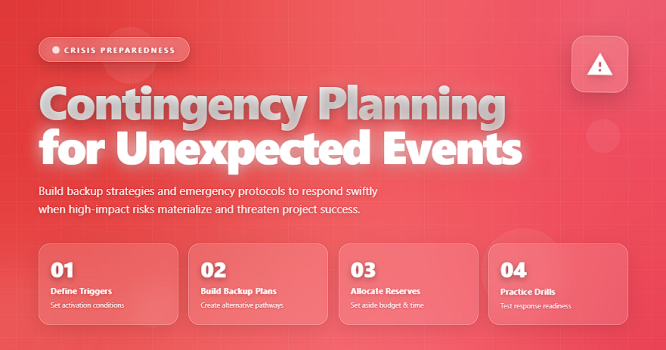
No matter how well a project is planned, unexpected events will occur. A key supplier fails to deliver, critical staff members become unavailable, technology breaks down, weather conditions interrupt work, budgets tighten, or stakeholders suddenly change priorities.
Top 5 Project Management Software
These events can derail progress, increase costs, and impact quality — unless the team is prepared.
This is where contingency planning becomes essential.
Contingency planning does not eliminate uncertainty. Instead, it ensures the project team has clear, actionable steps ready to activate whenever a risk turns into a real issue. It allows projects to stay resilient, recover faster, and continue moving forward with minimal disruption.
This article explains what contingency planning is, why it matters, and how project managers can develop practical, reliable contingency plans for all types of projects.
✅ What Is Contingency Planning?
Contingency planning is the process of developing predefined responses to unexpected events that could negatively impact a project.
These events may be known risks that were previously identified, or “unknown unknowns” — issues that appear without warning.
A strong contingency plan gives the project team:
✔️ a structured response
✔️ defined roles and responsibilities
✔️ immediate actions to execute
✔️ alternative solutions
✔️ clear communication paths
✔️ resource and budget backups
Contingency planning ensures the team doesn’t “freeze” when something goes wrong — they act fast and with confidence.
✅ Why Contingency Planning Matters
A good contingency plan helps project managers:
✔️ reduce delays
✔️ protect budgets
✔️ maintain stakeholder trust
✔️ avoid crisis-driven decisions
✔️ preserve quality and safety
✔️ minimize operational interruptions
When an unexpected event occurs, the speed and clarity of your response determines whether the project stabilizes or spirals out of control.
✅ Key Elements of an Effective Contingency Plan
Components that make your response strategy structured and reliable.
| Element | Description | Why It Matters |
|---|---|---|
| Trigger Conditions | Specific signals that activate the contingency plan. | Ensures timely activation and avoids delays. |
| Response Steps | Clear actions to follow once the plan is activated. | Reduces confusion during high-pressure moments. |
| Roles & Responsibilities | Defines who does what during the response. | Prevents duplication and gaps in execution. |
| Resource Requirements | Backup equipment, budget, staffing, and tools. | Ensures readiness without delays. |
| Communication Protocol | How information will be shared and with whom. | Maintains alignment and eliminates panic. |
| Recovery Strategy | Steps to restore normal operations. | Shortens downtime and stabilizes the project. |
✅ How to Build a Strong Contingency Plan (Step-by-Step)
✔️ 1. Identify Risks That Require Contingency Planning
Not all risks need full contingency plans.
Focus on:
✔️ high-impact risks
✔️ risks that severely affect cost, schedule, or safety
✔️ risks outside your control (supplier, weather, regulations)
✔️ risks with long recovery times
✔️ 2. Define Trigger Conditions
Specify exactly when the contingency plan must be activated.
Examples:
✔️ vendor delays exceed 3 days
✔️ system failure lasting more than 2 hours
✔️ staff availability drops below 60%
✔️ budget variance above 10%
Clear triggers eliminate hesitation.
✔️ 3. Document the Response Actions
List step-by-step instructions, such as:
✔️ switch to backup supplier
✔️ activate remote work plan
✔️ initiate manual workaround
✔️ escalate to project sponsor
✔️ reassign critical tasks
The goal is to remove guesswork.
✔️ 4. Assign Ownership and Responsibilities
A contingency plan only works if roles are clear.
Assign:
✔️ plan owner
✔️ action owners
✔️ communication lead
✔️ technical lead
✔️ escalation contact
✔️ 5. Prepare the Required Resources
Contingency plans often need:
✔️ backup equipment
✔️ emergency budget
✔️ secondary suppliers
✔️ temporary staff
✔️ manual tools or offline processes
Prepare these before the crisis happens.
✔️ 6. Create a Clear Communication Plan
Define how updates will be shared during an incident:
✔️ who gets notified
✔️ communication channels (email, Slack, SMS)
✔️ timing and frequency of updates
✔️ escalation path
Good communication prevents chaos.
✔️ 7. Test the Contingency Plan
Conduct simulations or tabletop exercises to confirm:
✔️ steps are clear
✔️ team members understand their roles
✔️ resources are available
✔️ response time meets expectations
Testing reveals weaknesses early.
✔️ 8. Review and Update Regularly
A contingency plan must evolve.
Review after:
✔️ major project changes
✔️ new risks
✔️ stakeholder updates
✔️ incidents or near misses
✔️ lessons learned meetings
🛠️ Tools That Support Contingency Planning
✔️ Monday.com — task automation & alerts
✔️ Smartsheet — contingency worksheets
✔️ Confluence — centralized documentation
✔️ Miro — visual mapping of response flows
✔️ Excel/Google Sheets — simple contingency registries
✔️ Power BI — incident dashboards
❌ Common Mistakes to Avoid
❌ Creating contingency plans only for obvious risks
❌ Not assigning ownership
❌ Writing vague or generic response steps
❌ Not preparing backup resources
❌ Forgetting to test the contingency plan
❌ Updating only after something goes wrong
⭐ Best Practices
✔️ Keep contingency plans short, direct, and actionable
✔️ Combine them with your risk register
✔️ Share with all team members and vendors
✔️ Link plans to trigger thresholds
✔️ Use visuals for complex plans (flows & decision trees)
✔️ Rehearse the plan annually or every major milestone
⭐ Final Thoughts
Contingency planning is a core competency for strong project managers.
It transforms uncertainty into a manageable, controlled process and gives teams the confidence to act quickly when unexpected events occur.
You cannot predict every event —
but you can prepare your response in advance.






