
 MElkhateeb
➡️ Introduction
Every project manager eventually faces the same uncomfortable question:
“Can we finish earlier?”
Top 5 Project Management Software
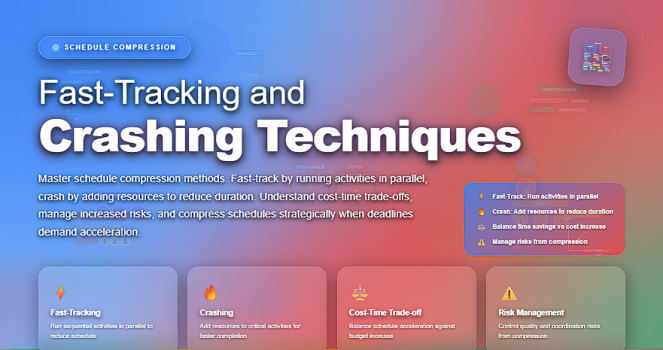
Whether the pressure comes from leadership, market deadlines, client demands, or unexpected delays, project timelines sometimes need acceleration. Two proven techniques for compressing schedules—without changing project scope—are fast-tracking and crashing.
Both shorten the schedule, but each comes with different methods, costs, risks, and impacts. Understanding how and when to use them is essential for maintaining control while delivering faster results.
This article explains both techniques in depth, highlights their advantages and trade-offs, and shows project managers how to choose the right approach for their situation.
✅ What Is Schedule Compression?
Schedule compression refers to techniques used to shorten the project timeline without reducing project scope.
It is typically used when:
✔️ a deadline moves earlier
✔️ delays occur and recovery is required
✔️ competitive pressure demands a faster launch
✔️ budget changes impact sequencing
✔️ stakeholders request earlier delivery
Two primary schedule compression methods are recognized in project management frameworks like PMI’s PMBOK:
Fast-Tracking and Crashing.
Let’s explore both with clarity.
✅ What Is Fast-Tracking?
Fast-tracking involves performing tasks in parallel that were originally planned to be sequential.
Instead of finishing Task A before starting Task B, both tasks begin earlier and overlap.
➡️ When Fast-Tracking Works Well
Fast-tracking is effective when:
- tasks have potential overlap
- work can be completed concurrently without major risk
- deliverables can be reviewed incrementally
- teams have the bandwidth for parallel effort
➡️ Benefits of Fast-Tracking
✔️ Shortens schedule quickly
✔️ No additional cost in most cases
✔️ Ideal when budget cannot be increased
➡️ Risks of Fast-Tracking
⚠️ Higher rework due to incomplete predecessor tasks
⚠️ Increased errors and quality issues
⚠️ Coordination complexity increases
⚠️ Potential for bottlenecks
Fast-tracking primarily trades time for risk.
✅ What Is Crashing?
Crashing involves adding extra resources to accelerate specific activities on the critical path.
This may include:
- hiring additional staff
- paying for overtime
- bringing in specialists
- expediting vendor delivery
- using premium tools or technology
Crashing reduces the duration of selected tasks but increases project cost.
➡️ When Crashing Works Well
Crashing is appropriate when:
- the schedule must be reduced
- cost increases are acceptable
- additional resources will realistically accelerate work
- project quality will not be jeopardized
- tasks are effort-driven and compressible
➡️ Benefits of Crashing
✔️ Direct reduction of critical path tasks
✔️ Clear, measurable time savings
✔️ Faster than waiting for sequential work
➡️ Risks of Crashing
⚠️ Significant cost increases
⚠️ Diminishing returns as more resources are added
⚠️ Productivity drops when teams become overloaded
⚠️ Increased oversight required
Crashing trades money for time.
✅ Fast-Tracking vs Crashing: Which Should You Choose?
If you want, I can convert the comparison below into a responsive table using your .ppx code.
Here is the comparison in text form:
✔️ Choose Fast-Tracking when:
- you cannot increase the budget
- tasks can be safely overlapped
- the team can coordinate parallel work
- you are willing to accept higher risk of rework
✔️ Choose Crashing when:
- more budget is available
- adding resources will directly shorten task duration
- timeline compression must be guaranteed
- risks of parallel work are too high
Many project managers use a hybrid approach, applying fast-tracking first (no cost increase), then crashing as a secondary step (controlled cost increase).
✅ How to Apply Fast-Tracking Effectively
✔️ Step 1: Identify activities with overlap potential
Review dependencies and look for “soft” relationships instead of hard requirements.
✔️ Step 2: Conduct a risk assessment
Fast-tracking increases uncertainty—understand what could go wrong.
✔️ Step 3: Communicate changes clearly
Parallel work affects stakeholders, teams, QA, and sequencing.
✔️ Step 4: Monitor progress daily
Fast-tracking requires tighter controls and rapid feedback loops.
✅ How to Apply Crashing Effectively
✔️ Step 1: Identify compressible tasks on the critical path
Only critical path activities should be considered—otherwise time is not saved.
✔️ Step 2: Estimate cost and time tradeoffs
Confirm how many days each resource addition actually saves.
✔️ Step 3: Add resources strategically
Avoid adding too many—more people can slow things down.
✔️ Step 4: Recalculate the schedule after each adjustment
Ensure new bottlenecks or dependencies are not created.
✅ When NOT to Fast-Track or Crash
Avoid both techniques when:
❌ the tasks cannot be overlapped safely
❌ additional resources do not add productivity
❌ the critical path is already optimized
❌ risks of failure outweigh schedule benefits
❌ quality or compliance would be compromised
Not every schedule is compressible.
In some cases, teams must renegotiate scope or deadlines instead.
⭐ Best Practices for Schedule Compression
✔️ Always start with fast-tracking—because it costs nothing
✔️ Use crashing only on clearly compressible tasks
✔️ Recalculate the critical path after each adjustment
✔️ Document added risks, costs, and assumptions
✔️ Update stakeholders proactively
✔️ Track rework to gauge fast-tracking impact
⭐ Final Thoughts
Fast-tracking and crashing are powerful tools in a project manager’s toolkit—but they must be used with precision. They can accelerate delivery, recover delays, and satisfy stakeholder demands, but only when the risks, costs, and impacts are clearly understood.
Effective schedule compression is not about working harder—
it’s about working smarter, restructuring efficiently, and investing strategically.






