
 MElkhateeb
➡️ Introduction
Projects thrive on information — not just reports, but feedback that flows in real time.
The most successful project managers don’t wait until the end to learn what went wrong; they build systems of continuous updates and feedback loops that drive learning, agility, and alignment.
Top 5 Project Management Software
Feedback loops help teams see, adapt, and improve as the project unfolds. Whether through stakeholder reviews, sprint retrospectives, or regular check-ins, they create a rhythm of reflection and action that keeps projects on track and teams engaged.
✅ What Are Feedback Loops in Project Management?
A feedback loop is a structured process where information about project performance is collected, analyzed, and used to adjust future actions.
In essence, it’s a cycle of communication and improvement:
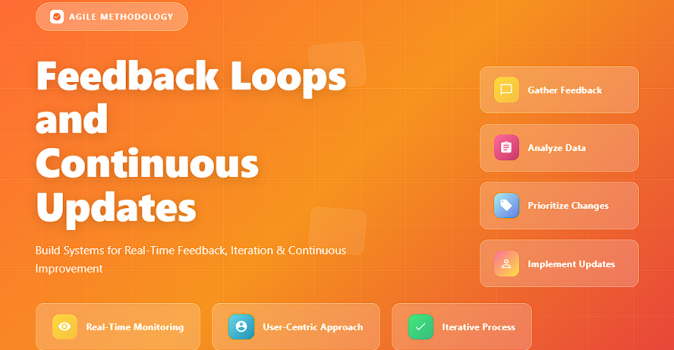
➡️ Gather input → Analyze insights → Make changes → Observe results → Repeat.
Feedback loops can be formal (like retrospectives or surveys) or informal (like daily team stand-ups).
✅ Why Continuous Updates Matter
✔️ Keep stakeholders informed and confident.
✔️ Detect issues before they grow into risks.
✔️ Reinforce accountability and transparency.
✔️ Support faster decision-making.
✔️ Encourage team learning and process improvement.
Without continuous updates, even great plans can drift quietly off course.
✅ Common Types of Feedback Loops
Practical loops for driving continuous improvement in projects.
| Feedback Type | Purpose | Best Practice |
|---|---|---|
| 1. Team Retrospectives | Identify what worked and what needs improvement after each sprint or phase. | Focus on process, not people; end with action items. |
| 2. Stakeholder Reviews | Get validation and alignment from sponsors or clients on deliverables and direction. | Use visuals and metrics to make discussions objective. |
| 3. Daily Stand-Ups | Keep teams informed about priorities, blockers, and daily progress. | Limit to 15 minutes; encourage brevity and honesty. |
| 4. Continuous Feedback Tools | Gather quick, ongoing feedback via digital forms or dashboards. | Automate collection and display results in real-time dashboards. |
| 5. Customer Feedback Cycles | Ensure final outputs meet user needs and expectations. | Conduct early demos or pilot tests; capture feedback before release. |
✅ Steps to Build Continuous Feedback and Update Systems
✔️ Step 1 – Define Feedback Goals: Clarify what information you need and why.
✔️ Step 2 – Choose Tools: Use systems that support collaboration and tracking.
✔️ Step 3 – Set Frequency: Decide how often updates or feedback will occur (daily, weekly, monthly).
✔️ Step 4 – Create Safe Channels: Encourage open, blame-free communication.
✔️ Step 5 – Act on Input: Document, prioritize, and implement feedback-driven actions.
✔️ Step 6 – Close the Loop: Always share what changed because of feedback — it builds trust.
✅ Tools That Support Feedback Loops
✔️ Monday.com – Automate status updates and gather stakeholder feedback visually.
✔️ Miro – Ideal for collaborative retrospectives and brainstorming sessions.
✔️ Smartsheet – Integrates task updates and feedback requests.
✔️ Google Forms / Typeform – Collect structured feedback from users or teams.
✔️ Power BI / Tableau – Visualize results and trends from feedback data.
✅ Common Mistakes to Avoid
❌ Asking for feedback but never acting on it.
❌ Collecting too much unstructured input.
❌ Overloading stakeholders with constant updates.
❌ Treating feedback as criticism instead of opportunity.
❌ Failing to close the loop with follow-up communication.
✅ Best Practices
✔️ Keep feedback loops short, specific, and actionable.
✔️ Use data visualization to share updates transparently.
✔️ Reward openness — thank those who give constructive feedback.
✔️ Maintain a feedback backlog for tracking improvements.
✔️ Integrate feedback loops directly into project workflows and tools.
✅ Final Thoughts
Feedback loops are the heartbeat of continuous improvement in project management.
When teams communicate openly, adjust quickly, and learn continuously, projects evolve with purpose — not by accident.
The best projects don’t just deliver results — they learn their way to success.






