
 MElkhateeb
➡️ Introduction
Before any serious project begins, you need more than enthusiasm and a kick-off meeting. You need a clear agreement on what the project will deliver, why it exists, who is responsible, and what success looks like.
Top 5 Project Management Software
That agreement is called a Project Charter.
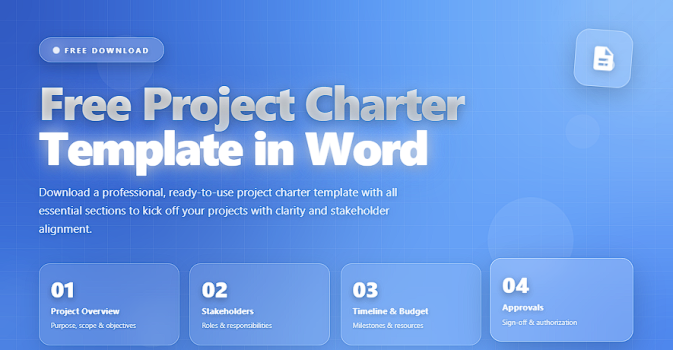
A well-written project charter protects you from scope confusion, unclear authority, and unrealistic expectations. The good news? You don’t need to start from scratch. You can use a free project charter template in Word to structure your ideas quickly and professionally.
In this article, you’ll learn:
✔️ what a project charter is and why it matters
✔️ the essential sections your charter must include
✔️ how to use a Word template step-by-step
✔️ tips to customize the template for different projects
✅ What Is a Project Charter?
A Project Charter is a formal document that authorizes a project to begin. It defines:
✔️ the purpose and business rationale
✔️ the high-level scope and key deliverables
✔️ the main stakeholders and roles
✔️ the budget and timeline at a high level
✔️ the authority of the project manager
The charter is usually approved by the project sponsor or senior management and becomes your official reference when decisions or conflicts arise.
✅ Why Use a Project Charter Template in Word?
Using a free Word template offers several advantages:
✔️ Faster start – You don’t waste time designing structure.
✔️ Consistency – All projects follow the same basic layout.
✔️ Professional look – Stakeholders get a clean, organized document.
✔️ Easy editing – Anyone can open and adjust it in Microsoft Word.
✔️ Reusability – Once you adapt the template to your organization, you can reuse it for future projects.
A good template guides you to think about the right questions before work starts.
✅ Core Sections of a Project Charter (Word Template)
What to include in your free project charter template and why it matters.
| Section | What It Includes | Why It Matters |
|---|---|---|
| Project Title & Basic Info | Project name, sponsor, project manager, date, version. | Identifies the project and its formal owners. |
| Purpose & Business Case | Why the project exists and what business problem it solves. | Connects the project to organizational goals and value. |
| Objectives & Success Criteria | Measurable outcomes and how success will be evaluated. | Sets clear targets and expectations for results. |
| High-Level Scope | What is in scope and out of scope at a high level. | Reduces misunderstandings and scope disputes later. |
| Key Deliverables | Major outputs such as documents, systems, or services. | Clarifies what the project is expected to produce. |
| High-Level Timeline | Start/end dates and major milestones. | Provides a realistic time frame and key checkpoints. |
| Budget Summary | Estimated cost ranges or approved budget. | Aligns financial expectations from the beginning. |
| Roles & Stakeholders | Sponsor, project manager, team, key stakeholders. | Clarifies who is involved and who makes decisions. |
| Assumptions & Constraints | Key assumptions, dependencies, and limitations. | Surfaces risks and conditions that may affect delivery. |
| Risks & Dependencies | High-level risks and major dependencies. | Prepares leadership for uncertainty from day one. |
| Approval & Sign-Off | Signatures or approval fields for sponsor and key roles. | Formally authorizes the project to start. |
✅ How to Use a Free Project Charter Template in Word (Step-by-Step)
✔️ 1. Download or Create the Template
Start with a clean, structured .docx file that already includes the sections above as headings.
You can reuse the same template for multiple projects by saving it as “Project Charter Template – Master” and creating a copy for each new project.
✔️ 2. Fill in the Basic Project Information
Complete fields such as:
✔️ project title
✔️ sponsor
✔️ project manager
✔️ target start and end dates
✔️ document version
This creates a clear identity for the document.
✔️ 3. Write a Concise Purpose and Business Case
Explain:
✔️ why this project exists
✔️ what problem or opportunity it addresses
✔️ how it supports the organization’s strategy
Aim for 1–3 short paragraphs that are easy for executives to read quickly.
✔️ 4. Define Measurable Objectives and Success Criteria
Turn vague goals into concrete results. For example:
Instead of:
“Improve customer satisfaction.”
Use:
“Increase customer satisfaction score from 72% to 85% within 12 months of go-live.”
This makes it easier to align expectations later.
✔️ 5. Describe the High-Level Scope and Deliverables
Clarify what is included and what is explicitly excluded.
Then list the major deliverables, such as:
✔️ new software module
✔️ training materials
✔️ revised process documentation
✔️ performance dashboards
This helps prevent scope creep and misunderstandings.
✔️ 6. Add a High-Level Timeline and Milestones
In the Word template, include a simple milestone list, for example:
✔️ project initiation
✔️ requirements completed
✔️ design approved
✔️ pilot completed
✔️ final deployment
✔️ project closure
You can keep this at a summary level and link it later to a detailed schedule in Excel or project management software.
✔️ 7. Summarize Budget and Resource Needs
You don’t need full financial details in the charter, but you should include:
✔️ estimated budget range or approved amount
✔️ major cost categories (e.g., software, external vendors, internal time)
✔️ any funding constraints
This gives leadership a realistic sense of investment.
✔️ 8. Identify Stakeholders, Roles, and Governance
List key roles such as:
✔️ sponsor
✔️ steering committee (if any)
✔️ project manager
✔️ core team members
✔️ key business stakeholders
You can add short descriptions like “approves major scope changes,” “owns business requirements,” or “manages technical delivery.”
✔️ 9. Document Assumptions, Constraints, Risks, and Dependencies
Capture items such as:
✔️ assumptions about resource availability
✔️ reliance on other projects or vendors
✔️ known constraints (tools, regulations, timelines)
✔️ early high-level risks
This section connects directly to your risk management process later.
✔️ 10. Finalize and Get Formal Approval
Before work begins:
✔️ review the charter with your team
✔️ refine unclear statements
✔️ send the charter to sponsor and key stakeholders
✔️ capture approval via signature, comment, or email confirmation
Once approved, store the Word document in your central project repository (SharePoint, OneDrive, etc.) so everyone can access it.
✅ Tips to Customize Your Word Project Charter Template
✔️ adapt wording to match your organization’s language
✔️ create versions for small, medium, and large projects
✔️ add your logo and brand colors for consistency
✔️ link the charter to your risk register, communication plan, and schedule
✔️ keep the document as simple as possible while still complete
A good template should guide thinking — not add bureaucracy.
❌ Common Mistakes to Avoid
❌ writing a charter that is too long and unreadable
❌ skipping business value and focusing only on technical details
❌ leaving roles and responsibilities vague
❌ ignoring constraints and risks
❌ starting execution before the charter is approved
⭐ Final Thoughts
A free project charter template in Word is more than a convenience. It’s a practical tool that helps you:
✔️ start projects with clarity
✔️ align stakeholders from day one
✔️ protect yourself from scope confusion
✔️ create a repeatable, professional standard
When the charter is clear, the project has a strong foundation.






