
 MElkhateeb
➡️ Introduction
The Critical Path Method (CPM) is one of the most essential scheduling tools in project management. While software like Microsoft Project, Monday.com, or Primavera can calculate the critical path automatically, every great project manager must understand how to calculate it manually.
Top 5 Project Management Software
Why?
Because manual calculation helps you:
✔️ truly understand dependencies
✔️ identify schedule risks early
✔️ see which tasks must never slip
✔️ communicate delays confidently to executives
✔️ optimize project timelines with precision
This guide walks you through the exact steps to calculate the critical path manually — without relying on any tool.
✅ What Is the Critical Path?
The critical path is the longest sequence of dependent activities in a project.
It determines the shortest possible time in which the project can be completed.
If any activity on the critical path is delayed,
➡️ the entire project is delayed.
This makes understanding and calculating the critical path crucial for schedule control.
✅ Before You Begin: What You Need
To calculate the critical path manually, you need:
✔️ a list of all project tasks
✔️ the duration of each task
✔️ task dependencies (which tasks must finish before others start)
✅ Steps to Calculate the Critical Path Manually
A structured method used by professional project managers.
| Step | What You Do | Why It Matters |
|---|---|---|
| 1. List All Activities | Write down every task required to complete the project. | Forms the foundation of the network diagram. |
| 2. Identify Dependencies | Determine which tasks must occur before others can begin. | Reveals the true logical sequence of work. |
| 3. Draw a Network Diagram | Map tasks in the order they must be executed. | Visualizes the project workflow. |
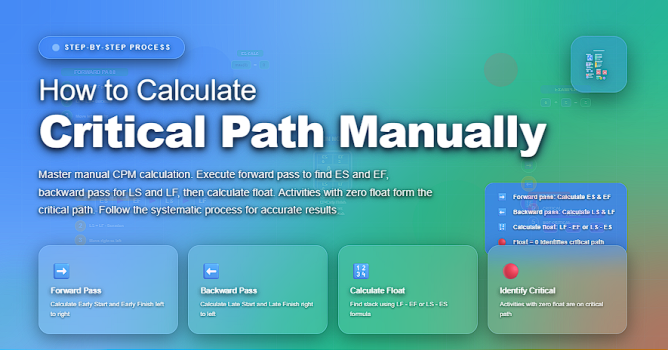
| 4. Perform a Forward Pass | Calculate Early Start (ES) and Early Finish (EF) for each activity. | Identifies the earliest the project can finish. |
| 5. Perform a Backward Pass | Calculate Late Start (LS) and Late Finish (LF) for each activity. | Shows how late each activity can start without delays. |
| 6. Find Total Float | Float = LS – ES or Float = LF – EF. | Reveals which tasks have flexibility and which do not. |
| 7. Identify the Critical Path | Tasks with **zero float** form the critical path. | These tasks control the project end date. |
✅ Example of a Simple Critical Path Calculation
Consider a project with these tasks:
✅ Example of a Simple Critical Path Calculation
Tasks, durations, dependencies, and which path becomes the critical path.
| Task ID | Description | Duration (Days) | Depends On | Earliest Start | Earliest Finish | Slack |
|---|---|---|---|---|---|---|
| A | Define Requirements | 3 | — | Day 0 | Day 3 | 0 (Critical) |
| B | Design System | 4 | A | Day 3 | Day 7 | 0 (Critical) |
| C | Develop Feature | 5 | B | Day 7 | Day 12 | 0 (Critical) |
| D | Testing | 2 | C | Day 12 | Day 14 | 0 (Critical) |
| E | Prepare Documentation | 3 | A | Day 3 | Day 6 | 3 Days |
You would:
1️⃣ Start with Task A → earliest start is Day 0, finish at Day 3
2️⃣ Task B starts at Day 3 → finishes Day 7
3️⃣ Task C starts at Day 3 → finishes Day 5
4️⃣ Task D can only start after BOTH B and C → earliest start = Day 7
5️⃣ D finishes at Day 12
Critical path = A → B → D (total duration = 12 days)
✅ Why Manual Critical Path Calculation Still Matters
Even in today’s digital project environment, manual CPM gives project managers deeper insight:
✔️ improves schedule accuracy
✔️ strengthens decision-making
✔️ increases confidence when presenting to executives
✔️ reveals dependencies software often hides
✔️ helps diagnose delay root causes
Mastering CPM manually = becoming a more strategic project leader.
🧠 Pro Tips for Faster Manual CPM
✔️ Always double-check dependency logic
✔️ Use a whiteboard for complex paths
✔️ Validate durations with subject-matter experts
✔️ Run multiple “what-if” scenarios
✔️ Highlight risks that exist on the critical path
⭐ Final Thoughts
The Critical Path Method is more than a scheduling tool — it is a mindset of understanding how work truly flows.
When you can calculate the critical path manually, you no longer depend on software.
You understand your project at a structural level and can control it with authority.
Great project managers manage timelines.
Exceptional project managers understand the logic behind them.






