
 MElkhateeb
➡️ Introduction
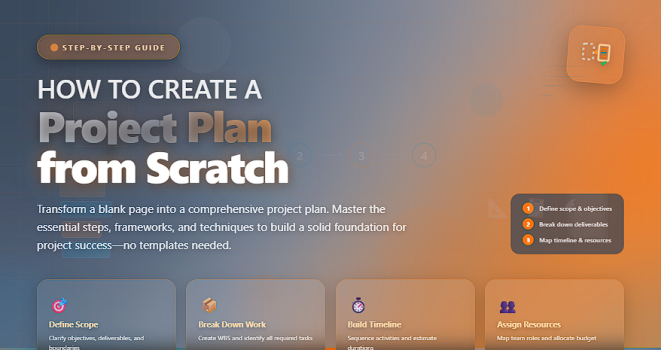
A strong project plan is the foundation of every successful project. It transforms an idea into a structured roadmap — defining what needs to be done, when it must be completed, who is responsible, and how progress will be measured.
Top 5 Project Management Software
Without a clear project plan:
❌ work becomes chaotic
❌ deadlines slip
❌ teams lose alignment
❌ risks appear unexpectedly
❌ stakeholders lose confidence
Creating a project plan from scratch may seem daunting, but with the right structure, you can build a clear, actionable document that guides your team through every phase of the project lifecycle.
This article walks you step-by-step through developing a complete project plan, including scope, schedule, budget, risks, communication, quality, and stakeholder expectations.
✅ Essential Components of a Project Plan
A complete overview of what your project plan must include.
| Component | Description | Why It Matters |
|---|---|---|
| Project Overview | Summarizes goals, purpose, and background. | Aligns everyone from the start. |
| Scope Statement | Defines what is included and excluded. | Prevents misunderstandings. |
| Deliverables | List of outputs the project will produce. | Clarifies expectations. |
| Work Breakdown Structure (WBS) | Breaks work into tasks. | Creates structure for scheduling and staffing. |
| Schedule | Timeline with milestones and deadlines. | Ensures timely delivery. |
| Budget | Estimated costs for resources, tools, and labor. | Controls financial risk. |
| Risks & Mitigation | List of potential threats and response plans. | Reduces surprises. |
| Stakeholder Matrix | Identifies key individuals and their needs. | Supports strong communication. |
| Communication Plan | Defines how updates will be shared. | Keeps everyone informed. |
| Quality Plan | Standards and methods for ensuring quality. | Guarantees acceptable outputs. |
✅ Step-by-Step Guide: How to Create a Project Plan from Scratch
✔️ 1. Define the Project Purpose and Objectives
Start by answering:
- Why is this project being done?
- What problem does it solve?
- What outcomes must be achieved?
Objectives should be SMART:
✔️ Specific
✔️ Measurable
✔️ Achievable
✔️ Relevant
✔️ Time-Bound
✔️ 2. Establish the Project Scope
Clarify what is included and excluded.
This prevents scope creep and sets realistic expectations.
A strong scope includes:
✔️ boundaries
✔️ deliverables
✔️ requirements
✔️ assumptions
✔️ constraints
✔️ 3. Break Down the Work (WBS)
The Work Breakdown Structure divides the project into manageable components.
It helps you:
✔️ identify all required tasks
✔️ assign responsibility
✔️ estimate effort
✔️ plan the schedule accurately
✔️ 4. Build Your Project Schedule
Create a timeline that includes:
✔️ start and end dates
✔️ task dependencies
✔️ resource assignments
✔️ key milestones
Tools you can use:
- Gantt charts
- Excel timelines
- MS Project
- Monday.com
- Smartsheet
✔️ 5. Assign Roles and Responsibilities
Define who does what using:
✔️ RACI Matrix
✔️ Responsibility Assignments
✔️ Role definitions
This reduces confusion and improves accountability.
✔️ 6. Estimate the Project Budget
Include cost categories such as:
✔️ labor
✔️ materials
✔️ tools/software
✔️ contingency
✔️ overhead
Add a buffer (usually 10–20%) for uncertainties.
✔️ 7. Identify and Plan for Risks
Risk planning includes:
✔️ identifying threats
✔️ analyzing likelihood and impact
✔️ creating mitigation strategies
✔️ assigning risk owners
Use your risk register to track them.
✔️ 8. Build a Communication Plan
Define:
✔️ what information will be shared
✔️ who receives it
✔️ the frequency
✔️ the format (meetings, reports, dashboards)
Good communication prevents misunderstandings and conflict.
✔️ 9. Create a Quality Management Plan
This ensures deliverables meet expectations.
Define:
✔️ quality criteria
✔️ review processes
✔️ acceptance standards
✔️ testing procedures
✔️ 10. Review, Approve, and Baseline the Plan
Share the plan with:
✔️ project sponsor
✔️ stakeholders
✔️ PMO (if applicable)
Once approved, it becomes your baseline for measuring performance.
🛠️ Tools to Help You Create a Project Plan
✔️ Microsoft Project
✔️ Monday.com
✔️ ClickUp
✔️ Asana
✔️ Smartsheet
✔️ Excel / Google Sheets
❌ Common Mistakes to Avoid
❌ Writing a plan that is too vague
❌ Skipping stakeholder analysis
❌ Ignoring risk planning
❌ Not updating the plan after changes
❌ Failing to baseline the schedule
⭐ Best Practices
✔️ Collaborate with the entire team
✔️ Keep the plan concise but complete
✔️ Review and update regularly
✔️ Focus on outcomes, not tasks
✔️ Make the plan accessible to everyone
⭐ Final Thoughts
A project plan is more than a document — it’s the strategic roadmap that guides the project from start to finish.
When done well, it eliminates confusion, aligns teams, reduces risk, and dramatically increases the chances of success.
Great project managers don’t just execute projects — they engineer clarity.






