
 MElkhateeb
➡️ Introduction
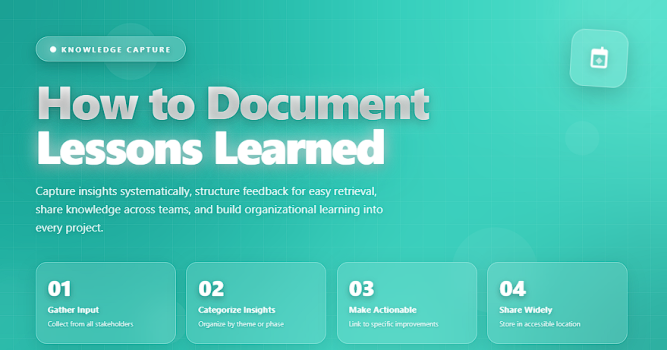
Every project—successful or challenging—produces valuable insights. These insights, known as lessons learned, help project managers and organizations avoid repeating mistakes, reinforce successful practices, and continuously improve project performance.
Top 5 Project Management Software
However, lessons learned only deliver value when they are captured, organized, analyzed, and shared properly.
Documenting them systematically ensures the knowledge stays with the organization, not just with individuals.
This guide explains how to document lessons learned, what to include, and how to turn insights into real improvements.
✅ What Are Lessons Learned?
Lessons learned are documented insights gained during the project that identify:
✔️ What went well
✔️ What didn’t go well
✔️ What should be improved
✔️ How to prevent issues in the future
✔️ How to repeat successful practices
They form the foundation of organizational learning and continuous improvement.
✅ Key Components of a Lessons Learned Record
Essential fields to capture insights clearly and consistently.
| Field | Description | Why It Matters |
|---|---|---|
| Lesson Category | Process, communication, risk, quality, stakeholder, etc. | Helps organize and filter insights. |
| What Happened? | Clear summary of the situation or event. | Provides context for the lesson. |
| Why Did It Happen? | Root cause behind the event. | Ensures real learning, not surface-level observations. |
| Impact on Project | How it affected schedule, cost, quality, or resources. | Shows the relevance and urgency. |
| What Went Well / What Didn’t? | Balanced insights about success and areas to improve. | Helps improve future performance. |
| Recommendations | Specific actions to apply in future projects. | Turns insights into actionable guidance. |
| Owner | Person responsible for implementing improvement. | Ensures accountability. |
✅ Step-by-Step: How to Document Lessons Learned
✔️ 1. Capture Lessons Continuously
Don’t wait until the project ends.
Record lessons at:
✔️ milestones
✔️ sprint reviews
✔️ phase gates
✔️ after key challenges or wins
Continuous capture ensures accuracy.
✔️ 2. Involve the Entire Project Team
Lessons learned are richer and more realistic when they include input from:
✔️ project managers
✔️ engineers
✔️ analysts
✔️ vendors
✔️ stakeholders
✔️ end users
Different perspectives mean better insights.
✔️ 3. Gather Evidence and Root Causes
Document what actually happened—supported by data:
✔️ metrics
✔️ emails
✔️ timelines
✔️ defect logs
✔️ stakeholder feedback
Avoid assumptions; focus on facts.
✔️ 4. Evaluate Impact
Assess how the event affected:
✔️ cost
✔️ schedule
✔️ quality
✔️ scope
✔️ team morale
✔️ customer satisfaction
Understanding impact strengthens future decision-making.
✔️ 5. Develop Actionable Recommendations
Great lessons learned include clear, specific improvements, such as:
✔️ “Implement a 24-hour approval SLA for stakeholders.”
✔️ “Add a pre-release quality review checklist.”
✔️ “Refactor integration workflows to reduce rework.”
Avoid vague statements like “communicate better.”
✔️ 6. Assign Ownership
Every improvement must have an owner responsible for:
✔️ implementing the recommendation
✔️ tracking progress
✔️ reporting status
✔️ ensuring the lesson is applied
No owner = no improvement.
✔️ 7. Store Lessons in a Central Repository
Use tools such as:
✔️ Confluence
✔️ SharePoint
✔️ PMO knowledge base
✔️ Smartsheet
✔️ Monday.com
✔️ Google Drive
They must be accessible for future project teams.
✔️ 8. Review Lessons During New Project Kickoffs
Lessons learned should not sit in a document—they must be applied:
✔️ during kickoff
✔️ during planning
✔️ during risk analysis
✔️ when developing quality plans
This turns knowledge into operational excellence.
🛠️ Tools for Documenting Lessons Learned
✔️ Excel / Google Sheets
✔️ Miro for collaborative retrospectives
✔️ Trello for iterative lessons
✔️ Jira for Agile teams
✔️ Notion for structured repositories
✔️ Power BI for trend analysis
❌ Common Mistakes to Avoid
❌ Documenting lessons only at the end of the project
❌ Focusing only on problems, not successes
❌ Recording events without analyzing causes
❌ No action ownership
❌ Lessons stored somewhere no one revisits
❌ Writing vague recommendations
⭐ Best Practices
✔️ Make lessons learned concise and actionable
✔️ Use root-cause analysis
✔️ Celebrate what worked well
✔️ Integrate lessons into templates and SOPs
✔️ Use visual dashboards to track recurring issues
✔️ Review lessons regularly with the PMO
⭐ Final Thoughts
Documenting lessons learned is not just a formality—it’s one of the most powerful tools for growing your team, strengthening your processes, and increasing project success rates.
Projects end, but knowledge should not.
Lessons learned ensure every project makes the next one stronger.






