
 MElkhateeb
➡️ Introduction
A Work Breakdown Structure (WBS) is the backbone of project planning. It defines what work will be done and creates the foundation for estimating time, cost, resources, and risk.
Top 5 Project Management Software
However, creating a WBS is only half the job.
If the WBS is incomplete, unclear, or misaligned with project objectives, everything built on top of it — schedule, budget, and control — will suffer.
That’s why reviewing and validating your WBS is a critical step before moving forward.
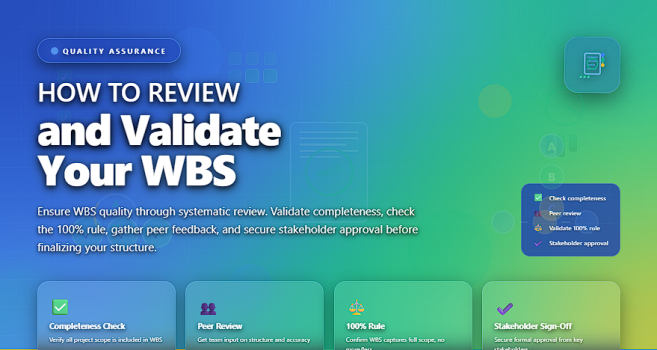
This article explains how to systematically review, validate, and approve a WBS to ensure it is accurate, complete, and ready to support project execution.
✅ Why Reviewing and Validating the WBS Is Critical
A validated WBS helps you:
✔️ Confirm that all required work is included
✔️ Avoid scope gaps and hidden work
✔️ Prevent double-counting of tasks
✔️ Improve estimating accuracy
✔️ Align stakeholders on project scope
✔️ Reduce rework and change requests later
Skipping WBS validation is one of the most common reasons projects lose control early.
✅ What “WBS Validation” Really Means
WBS validation is the structured process of confirming that:
- the WBS includes 100% of the project scope
- each work package is clear, measurable, and manageable
- no work outside the approved scope is included
- responsibilities can be clearly assigned
- stakeholders agree the WBS reflects what the project must deliver
Validation is about quality and alignment, not just structure.
✅ WBS Review & Validation Checklist
Key criteria to confirm your WBS is complete and ready for execution.
| Validation Check | What to Look For | Why It Matters |
|---|---|---|
| 100% Rule | All project work is included, nothing extra. | Prevents scope gaps and scope creep. |
| Clear Deliverables | Each WBS element represents a tangible outcome. | Improves clarity and acceptance criteria. |
| No Overlap | Work is not duplicated across branches. | Avoids double counting of effort and cost. |
| Appropriate Detail | Work packages are neither too large nor too small. | Enables accurate estimates and control. |
| Measurable Work Packages | Progress can be tracked objectively. | Supports monitoring and reporting. |
| Aligned with Scope Statement | Every element maps back to approved scope. | Prevents unauthorized work. |
| Assignable Ownership | Each work package has a clear owner. | Creates accountability. |
| Stakeholder Agreement | Key stakeholders approve the WBS. | Builds alignment and reduces future conflict. |
✅ Step-by-Step: How to Review Your WBS
✔️ 1. Start with the Scope Statement
Compare the WBS directly against the approved scope statement.
Every deliverable in the scope must appear in the WBS — and nothing else should.
✔️ 2. Apply the 100% Rule
Ask one critical question:
“Does this WBS represent 100% of the work required to deliver the project?”
This includes:
✔️ product deliverables
✔️ management work
✔️ quality activities
✔️ handover and closure work
✔️ 3. Review Work Package Size
A good rule of thumb:
- work packages should be manageable
- typically 1–2 reporting periods long
- small enough to estimate and control
- large enough to avoid micro-management
✔️ 4. Check for Overlap and Gaps
Ensure:
✔️ no task appears twice
✔️ no work is “assumed” but not listed
✔️ interfaces between WBS elements are clear
Overlaps create confusion; gaps create surprises.
✔️ 5. Validate with the Project Team
Team members often see missing or unclear work that managers miss.
Conduct a structured review workshop and ask:
- “Is any work missing?”
- “Is anything unclear?”
- “Can you realistically deliver this work package?”
✔️ 6. Confirm Measurability
Each work package should have:
✔️ a clear outcome
✔️ completion criteria
✔️ a way to measure progress
If progress cannot be measured, the work package needs refinement.
✔️ 7. Assign Ownership
If a work package cannot be clearly assigned to a responsible owner, it is not well defined.
Ownership validates clarity.
✔️ 8. Obtain Formal Approval
Once reviewed and refined, the WBS must be formally approved by:
✔️ project sponsor
✔️ key stakeholders
✔️ customer (if applicable)
This approval makes the WBS a baseline for planning and control.
❌ Common WBS Validation Mistakes
❌ Reviewing alone without team input
❌ Validating structure but ignoring content
❌ Skipping management and support work
❌ Over-decomposing into tiny tasks
❌ Approving the WBS informally
⭐ Best Practices
✔️ Review the WBS before estimating time and cost
✔️ Use WBS dictionaries for clarity
✔️ Keep the WBS deliverable-oriented
✔️ Validate early — not during execution
✔️ Treat the approved WBS as a controlled baseline
⭐ Final Thoughts
A Work Breakdown Structure is only valuable if it is accurate, complete, and agreed upon.
Reviewing and validating your WBS protects your project from hidden work, unrealistic plans, and uncontrolled changes.
A validated WBS turns planning from guesswork into control.






