MElkhateeb
➡️ Introduction
Project schedules rarely fail because teams ignore planning.
They fail because plans assume stability in an environment that is anything but stable.
Top 5 Project Management Software
Approvals slip.
Dependencies break.
Resources shift.
Rework appears late.
Simulating project delays allows project managers to see uncertainty before it causes damage. Instead of reacting to delays after they occur, simulation makes delay risk visible while there is still time to act.
This article explains what delay simulation really means, why it matters, and how project managers can apply practical simulation techniques using schedules, spreadsheets, and structured assumptions.
✅ What Does It Mean to Simulate Project Delays?
Simulating project delays means intentionally modeling uncertainty inside a schedule to understand how delays might unfold.
Rather than assuming a single fixed duration, simulation explores ranges of outcomes by adjusting:
✔️ task durations
✔️ dependency timing
✔️ approval lead times
✔️ resource availability
✔️ probability of rework
✔️ external delivery uncertainty
The goal is not prediction.
The goal is exposure — identifying where the schedule is fragile and how likely it is to break.
✅ Why Delay Simulation Matters in Modern Projects
Modern projects operate under constant change. Static schedules fail because they assume:
❌ perfect estimates
❌ uninterrupted resources
❌ reliable handoffs
❌ stable scope
Delay simulation replaces those assumptions with controlled experimentation.
It helps project managers answer critical questions:
✔️ How likely are we to miss the deadline?
✔️ Which tasks are most dangerous to the schedule?
✔️ How much contingency time is truly needed?
✔️ Which changes reduce risk fastest?
Without simulation, schedules offer dates.
With simulation, they offer confidence levels.
✅ Situations Where Delay Simulation Is Essential
Delay simulation delivers the most value when:
✔️ deadlines are fixed or contractual
✔️ work involves integration or testing
✔️ dependencies cross teams or vendors
✔️ approvals affect flow
✔️ resources are shared across projects
✔️ uncertainty is high but invisible
In these conditions, relying on a single “best-case” schedule is risky.
✅ Practical Techniques for Simulating Project Delays
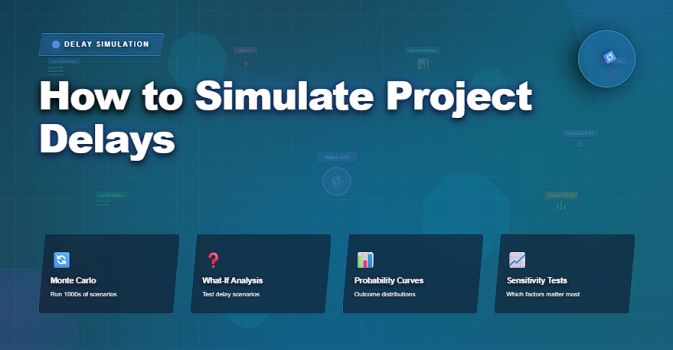
✔️ What-If Scenario Testing
This technique tests realistic disruptions individually.
Examples include:
✔️ approvals take longer than planned
✔️ vendor delivery slips by a week
✔️ testing requires additional rework
✔️ key resources become unavailable
Each scenario shows how the schedule responds under stress.
Strength: fast and intuitive
Limitation: does not show probability
✔️ Three-Point Estimation (O-M-P)
Instead of one estimate, each uncertain task uses:
✔️ Optimistic duration
✔️ Most likely duration
✔️ Pessimistic duration
This improves realism and creates a foundation for deeper simulation.
Strength: improves estimate quality
Limitation: still needs aggregation across the schedule
✔️ Monte Carlo-Style Simulation
Monte Carlo simulation runs the schedule many times using random durations drawn from uncertainty ranges.
It produces:
✔️ probability of meeting a deadline
✔️ P50 / P80 completion dates
✔️ tasks that most often drive delays
Strength: turns uncertainty into measurable confidence
Limitation: requires structured logic and clean inputs
✔️ Sensitivity Analysis
Sensitivity testing changes one variable at a time to see what matters most.
For example:
✔️ increase one task by 20%
✔️ delay a single approval
✔️ reduce capacity slightly
Strength: highlights leverage points
Limitation: ignores combined effects
✔️ Buffer Behavior Simulation
This approach tests how schedule buffers behave when variability occurs.
It focuses on:
✔️ buffer consumption rate
✔️ impact of multitasking
✔️ early warning signals
Strength: practical for resource-constrained teams
Limitation: requires discipline in execution
✔️ Event-Based Delay Simulation
Here, delays are modeled as events with probabilities:
✔️ chance of rework
✔️ chance of vendor slip
✔️ chance of approval delay
Strength: realistic in risk-heavy environments
Limitation: depends on credible historical patterns
✅ Delay Simulation Workflow
From uncertainty assumptions to scheduling decisions.
| Step | Action | Insight Gained |
|---|---|---|
| Identify Risk Areas | Select tasks with uncertainty, approvals, vendors, integration | Where delay risk is concentrated |
| Define Uncertainty Ranges | Set duration ranges or probability impacts | Realistic spread of outcomes |
| Choose Simulation Method | What-if, sensitivity, or Monte Carlo-style testing | Schedule behavior under stress |
| Run Scenarios | Apply delays and recalculate dates | Milestone vulnerability |
| Analyze Results | Compare baseline vs delayed outcomes | Confidence level of the plan |
| Apply Protections | Add buffers, resequence, reduce dependencies | Lower delay probability |
✅ Simulating Delays Using Excel or Google Sheets
Spreadsheets are often enough to simulate delays effectively.
Typical structure includes:
✔️ task name
✔️ base duration
✔️ optimistic / pessimistic range
✔️ risk level
✔️ simulated duration
✔️ recalculated end date
By applying controlled multipliers or random values to risky tasks, project managers can observe:
✔️ milestone drift
✔️ deadline reliability
✔️ buffer erosion
Even simple simulations provide powerful insights when done consistently.
❌ Common Mistakes in Delay Simulation
❌ simulating delays on poorly structured schedules
❌ ignoring dependencies and approvals
❌ using simulation to justify unrealistic deadlines
❌ treating results as guarantees
❌ failing to adjust the plan after analysis
Simulation is a decision tool — not a reporting exercise.
⭐ Best Practices
✔️ simulate late-phase work carefully
✔️ include approvals and handoffs as real constraints
✔️ use safer confidence dates for commitments
✔️ track buffer health continuously
✔️ repeat simulations when conditions change
⭐ Final Thoughts
Simulating project delays does not make schedules pessimistic.
It makes them credible.
Strong project managers do not promise certainty.
They build plans that remain stable when reality intervenes.
Delay simulation turns uncertainty into insight —
and insight into better decisions.