
 MElkhateeb
➡️ Introduction
One of the most important skills in project scheduling is understanding float (also called slack).
Float tells you how much scheduling flexibility you have before a delay affects the rest of the project.
Top 5 Project Management Software
Mastering float enables project managers to:
✔️ prioritize work
✔️ optimize resources
✔️ react quickly to delays
✔️ protect the project’s finish date
✔️ make smart decisions under pressure
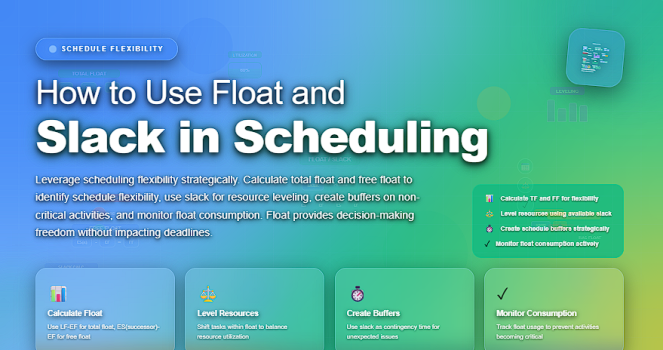
Many teams create schedules but never fully leverage float. This article explains what float is, how to calculate it, and—most importantly—how to use it strategically.
✅ What Is Float (Slack)?
Float is the amount of time a task can be delayed without affecting either:
- other tasks (Free Float), or
- the overall project completion date (Total Float).
Float exists because not all tasks are on the critical path.
Tasks that are not critical have built-in flexibility — and that flexibility can be used to your advantage.
✅ Types of Float
✔️ 1. Total Float
The amount of time a task can slip without delaying the entire project.
Used for high-level planning and schedule risk decisions.
✔️ 2. Free Float
The amount of time a task can slip without delaying the next dependent activity.
Used for team-level coordination and daily work management.
✔️ 3. Project Float
Whether the overall project deadline has flexibility beyond the planned completion.
✅ How to Calculate Float
Float is derived from early and late dates in the project schedule:
- Total Float = Late Finish − Early Finish
or - Total Float = Late Start − Early Start
- Free Float = Earliest Start of Next Activity − Early Finish of Current Activity
Most scheduling tools (Microsoft Project, Primavera, Monday.com, Smartsheet) calculate float automatically — but understanding the formulas is essential for PM decision-making.
✅ Why Float Matters in Project Scheduling
Float helps project managers make intelligent decisions such as:
✔️ Where to allocate scarce resources
✔️ Which tasks can be safely delayed
✔️ Which tasks require immediate attention
✔️ How to manage risks early
✔️ How to respond when scope changes occur
Float provides the breathing room your project needs.
✅ How to Use Float Effectively
✔️ 1. Prioritize Critical Path Activities
Tasks with zero float are priority tasks.
A delay in any of them delays the entire project.
✔️ 2. Reassign Resources from High-Float Tasks
If a noncritical task has 5–10 days of float, you can temporarily shift resources from it to a higher-risk or time-sensitive task.
Example:
A design activity with 8 days of float can give up 2 designers for a critical development task without hurting the schedule.
✔️ 3. Absorb Minor Delays
Float protects your project against normal operational challenges such as:
- waiting for approvals
- staff absence
- late inputs
- small rework cycles
Instead of escalating, the PM uses float strategically.
✔️ 4. Improve Team Planning
Float helps team members understand:
✔️ which tasks they must deliver exactly on schedule
✔️ where they have some flexibility
✔️ where risks are concentrated
This improves accountability and alignment.
✔️ 5. Manage Stakeholder Expectations
When stakeholders request changes, you can use float to explain:
✔️ what impact the change will have
✔️ which tasks can absorb delays
✔️ whether a deadline adjustment is required
Float makes your communication more factual and less emotional.
✔️ 6. Build Realistic Recovery Strategies
Float allows PMs to:
✔️ resequence tasks
✔️ temporarily fast-track
✔️ move resources
✔️ adjust workloads
All without immediately impacting the end date.
✅ Best Practices for Using Float
✔️ Always monitor float weekly (or daily on fast projects)
✔️ Recalculate float after every schedule update
✔️ Watch for float shrinking — it’s an early warning signal
✔️ Do not “spend” float too early in the project
✔️ Communicate float clearly to team leads
✔️ Document how float is used in schedule decisions
✔️ Protect float on high-risk work packages
❌ Misconceptions About Float
❌ Float means a task is unimportant
Not true — float exists due to sequence logic, not priority.
❌ Float is extra time to relax
No. Float is a strategic scheduling buffer, not free downtime.
❌ Float is permanent
Float constantly changes as dependencies, durations, and progress evolve.
⭐ Final Thoughts
Float (slack) is one of the most powerful tools in project scheduling, yet it is often misunderstood or underused.
By mastering float, you gain the ability to:
✔️ protect deadlines
✔️ manage resources intelligently
✔️ absorb risks before they cause real damage
✔️ keep stakeholders confident and informed
Great project managers don’t rely on perfect schedules —
they rely on flexible, well-managed ones.






