
 MElkhateeb
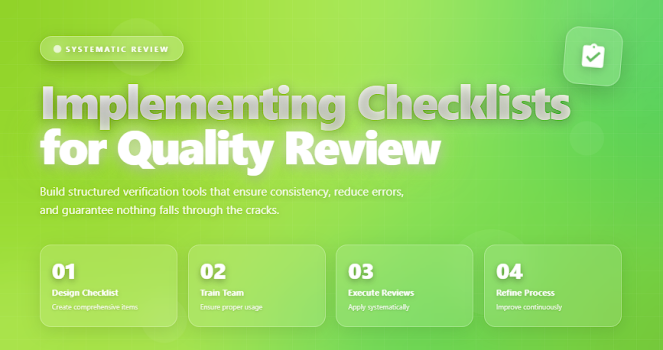
➡️ Introduction
Quality in project management isn’t achieved by accident — it is engineered through consistent processes, structured reviews, and repeatable controls. One of the most powerful yet simplest tools for achieving high-quality deliverables is the Quality Review Checklist.
Top 5 Project Management Software
A well-designed checklist ensures that critical tasks are verified, standards are met, errors are detected early, and teams follow established best practices.
Whether you’re managing construction, software development, operations, or business projects, checklists create discipline, reduce rework, and strengthen quality assurance activities.
This article explains why checklists matter, how to build them, and how to integrate them into your quality review process using industry-proven techniques.
✅ Why Quality Checklists Matter
Checklists provide clarity, consistency, and structure. They help teams:
✔️ prevent oversight and missed steps
✔️ ensure compliance with defined standards
✔️ improve accuracy in repetitive tasks
✔️ reduce defects before they reach the customer
✔️ enhance communication across departments
✔️ make quality expectations visible and enforceable
In high-risk or fast-moving environments, checklists become an essential defense mechanism against human error.
✅ Key Elements of a Quality Review Checklist
Essential components that ensure consistency and reduce errors.
| Checklist Item | Description | Purpose |
|---|---|---|
| Scope Requirements Verified | Confirms the deliverable meets defined scope. | Prevents misalignment with customer expectations. |
| Quality Standards Applied | Ensures correct methods and criteria are used. | Maintains compliance with organizational standards. |
| Functional Testing Completed | Verifies key features and operations work correctly. | Prevents functional defects from reaching production. |
| Documentation Updated | Checks manuals, logs, and files for completeness. | Supports future maintenance and traceability. |
| Approvals & Sign-offs | Ensures relevant stakeholders have reviewed outputs. | Improves governance and audit compliance. |
✅ How to Develop and Use a Quality Review Checklist
✔️ 1. Start with Your Quality Standards
A checklist must reflect:
✔️ project requirements
✔️ customer expectations
✔️ internal quality standards
✔️ regulatory or industry standards
A checklist is only as strong as the standards behind it.
✔️ 2. Break Work into Verifiable Sections
Divide the checklist into logical groups such as:
- Requirements & specifications
- Functional checks
- Documentation verification
- Visual inspection
- Testing & validation
- Compliance checks
This improves clarity and prevents missing smaller details.
✔️ 3. Write Clear, Action-Oriented Items
Quality checklist items must be:
✔️ unambiguous
✔️ specific
✔️ measurable
✔️ short and easy to evaluate
Examples:
❌ “Check documentation” — too vague
✔️ “Ensure user manual v3.2 is updated and uploaded to repository” — measurable
✔️ 4. Assign Roles and Responsibilities
Define who is responsible for:
- completing the checklist
- validating outcomes
- signing off on each item
- reporting findings
This avoids gaps in accountability.
✔️ 5. Integrate the Checklist into Quality Gates
Quality review checklists should be mandatory at:
✔️ phase gates
✔️ sprint completions
✔️ major deliverables
✔️ pre-deployment reviews
✔️ UAT (User Acceptance Testing)
They become part of your quality control workflow.
✔️ 6. Capture Findings and Non-Conformities
During the review, document:
✔️ deviations
✔️ errors
✔️ missing requirements
✔️ incomplete documentation
These findings feed into corrective and preventive actions.
✔️ 7. Keep the Checklist Updated
Projects evolve — so must your checklists.
Update them when:
✔️ requirements change
✔️ standards are updated
✔️ new risks emerge
✔️ lessons learned suggest improvements
A static checklist loses its value quickly.
🛠️ Tools to Build Effective Checklists
✔️ Excel / Google Sheets
✔️ Notion
✔️ Confluence
✔️ Trello / Monday.com
✔️ Miro
✔️ SharePoint
✔️ Quality management systems (QMS)
Digital tools improve traceability, version control, and audit records.
❌ Common Mistakes to Avoid
❌ Using vague or overly general items
❌ Making checklists too long and complicated
❌ Skipping stakeholder input
❌ Not recording findings
❌ Treating checklists as optional
❌ Failing to update them as standards evolve
⭐ Best Practices
✔️ Keep your checklist structured and easy to follow
✔️ Review it collaboratively with the team
✔️ Use short, action-focused statements
✔️ Link checklist items to risks and quality standards
✔️ Automate alerts or reminders in digital tools
✔️ Archive completed checklists for audits and future lessons learned
⭐ Final Thoughts
Checklists may seem simple, but they are one of the most powerful quality tools in project management.
They ensure consistency, protect against human error, and transform quality control into a repeatable, reliable process.
High-performing teams don’t rely on memory —
they rely on well-designed checklists.






