
 MElkhateeb
➡️ Introduction
Meetings do not create alignment.
How information is used inside meetings does.
Top 5 Project Management Software
In many projects, schedule reports are prepared carefully — yet meetings still feel unproductive. Time is spent reviewing data instead of making decisions. Participants leave without clarity on next steps, risks, or priorities.
The issue is rarely the report itself.
It is how schedule information is integrated into the meeting flow.
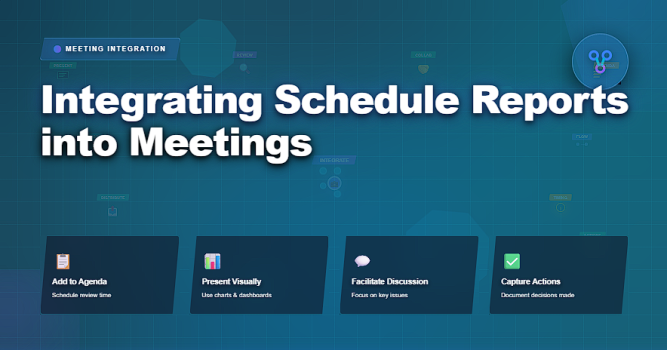
This article explains how to use schedule reports as decision-support tools inside meetings, not as passive updates, and how project managers can turn routine reviews into focused, outcome-driven discussions.
✅ Why Schedule Reports Often Fail in Meetings
Schedule reports are frequently treated as reading material.
Common problems include:
✔️ walking through reports line by line
✔️ presenting too much detail
✔️ reviewing data everyone already saw
✔️ discussing symptoms instead of causes
✔️ ending meetings without decisions
When reports dominate the agenda, conversation quality drops.
✅ What Schedule Reports Should Enable in Meetings
Inside meetings, schedule reports should:
✔️ highlight deviations from plan
✔️ surface risks and constraints
✔️ focus attention on critical path items
✔️ support prioritization decisions
✔️ trigger corrective actions
A good schedule report answers one question in the meeting:
➡️ What requires attention right now?
✅ Using Schedule Reports Effectively in Meetings
How to align reporting with discussion and decisions.
| Meeting Stage | How to Use the Schedule Report | Outcome |
|---|---|---|
| Before the Meeting | Share reports in advance with focus questions | Reduces presentation time |
| Opening Discussion | Highlight key changes and trends only | Sets clear context |
| Risk Review | Use visuals to identify slippage and constraints | Focuses attention on issues |
| Decision Points | Link variances to choices and trade-offs | Enables informed decisions |
| Closing Actions | Confirm updates, owners, and next review | Ensures follow-through |
✅ Designing Meetings Around Schedule Insights
Meetings should be structured around questions, not slides.
Effective questions include:
✔️ Where are we diverging from plan?
✔️ What changed since the last review?
✔️ Which risks are growing?
✔️ What decisions are required now?
✔️ What will we adjust before the next meeting?
The report supports the discussion — it should not replace it.
✅ Matching Report Detail to Meeting Type
Not all meetings need the same level of detail.
Project managers should:
✔️ keep executive meetings milestone-focused
✔️ use detailed reports in delivery reviews
✔️ avoid mixing tactical and strategic discussions
✔️ tailor visuals to decision authority
✔️ maintain consistency across recurring meetings
Clarity improves when scope is controlled.
❌ Common Mistakes When Using Schedule Reports in Meetings
❌ reviewing reports line by line
❌ introducing new data during the meeting
❌ focusing on explanations instead of actions
❌ ignoring trends across periods
❌ ending meetings without decisions
❌ using reports to assign blame
Meetings without outcomes erode trust.
⭐ Best Practices
✔️ circulate reports before meetings
✔️ highlight only changes and risks
✔️ anchor discussion to decisions
✔️ track actions resulting from reports
✔️ standardize report formats
✔️ continuously refine meeting flow
⭐ Final Thoughts
Schedule reports are not meeting content.
They are meeting enablers.
Strong project managers use reports to sharpen focus, accelerate decisions, and maintain control — not to fill time or justify past performance.
Projects succeed not because meetings happen —
but because schedule insight is used effectively inside them.






