
 MElkhateeb
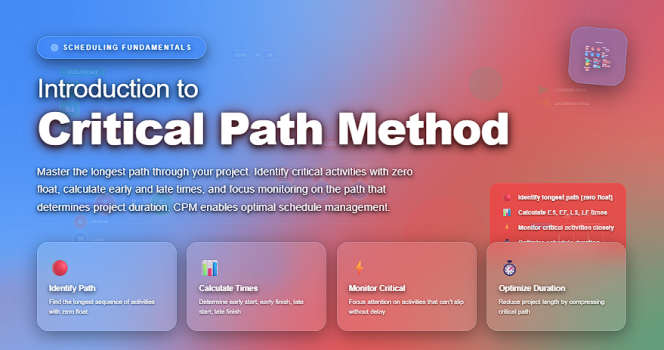
➡️ Introduction
Every project has deadlines — but not every task controls them.
To deliver a project on time, professional project managers must understand exactly which activities drive the schedule and which ones have flexibility.
Top 5 Project Management Software
This is where the Critical Path Method (CPM) becomes one of the most powerful tools in project management.
CPM helps you:
✔️ identify the tasks that directly impact your project’s finish date
✔️ calculate the minimum project duration
✔️ understand where delays are acceptable — and where they are not
✔️ prioritize resources more intelligently
✔️ forecast schedule risks early
Whether you manage construction sites, software teams, marketing campaigns, or operations initiatives, mastering CPM allows you to build schedules with far more accuracy and confidence.
✅ What Is the Critical Path Method?
The Critical Path Method (CPM) is a scheduling technique used to identify the longest sequence of dependent activities in a project — the path that determines the shortest possible project duration.
In simple terms:
The critical path is the set of tasks that, if delayed, will delay the entire project.
Any activity on this path has zero float (or zero slack), meaning you cannot postpone it without affecting your project deadline.
✅ Why CPM Matters in Project Management
CPM is essential for planning and controlling schedules because it gives project managers clarity about where to focus their attention.
✔️ CPM Helps You:
- Determine the earliest and latest start and finish times for every activity
- Understand which tasks must happen in sequence
- Identify which activities can be delayed without harming the project
- Predict the impact of timeline changes
- Allocate resources to the most time-sensitive work
- Communicate realistic expectations to stakeholders
CPM removes guesswork from scheduling — turning timelines into precise, data-driven tools.
✅ Key Concepts in Critical Path Method (Explained Simply)
✔️ 1. Activities
These are the individual tasks that make up the project.
Example: “Design UI,” “Install equipment,” “Test software.”
✔️ 2. Dependencies
Dependencies show which tasks rely on others to begin or finish.
Example: You can’t “Publish Website” until “Testing” is complete.
Types include:
- Finish-to-Start (FS) — most common
- Start-to-Start (SS)
- Finish-to-Finish (FF)
- Start-to-Finish (SF) (rare)
✔️ 3. Duration
How long each task will take (in hours, days, or weeks).
✔️ 4. Float / Slack
Float (or slack) tells you how much a task can be delayed without affecting the project end date.
Activities on the critical path have zero float.
✔️ 5. Early and Late Start/Finish
CPM calculates:
- Early Start (ES) — the earliest a task can begin
- Early Finish (EF) — the earliest a task can complete
- Late Start (LS) — the latest it can start without delay
- Late Finish (LF) — the latest it can finish without delay
Understanding these values helps managers plan realistically.
✅ How CPM Works (Step-by-Step)
Here’s how professionals calculate the critical path:
✔️ Step 1: List all activities
Create a full breakdown of every task required to complete the project.
✔️ Step 2: Define the dependencies
Determine which tasks rely on others to begin or end.
✔️ Step 3: Estimate task durations
Use expert judgment, analogous estimates, or historical data.
✔️ Step 4: Build a network diagram
Visualize the flow of tasks from start to finish.
✔️ Step 5: Do a forward pass
Calculate the earliest times each activity can start/finish.
✔️ Step 6: Do a backward pass
Calculate the latest times each activity can start/finish.
✔️ Step 7: Identify the critical path
Tasks with zero float form the critical path — the chain that controls the project’s duration.
✅ Example: What the Critical Path Tells You
Imagine a simplified software project:
- Task A → 3 days
- Task B → 5 days (depends on A)
- Task C → 2 days (can run parallel to B)
- Task D → 4 days (depends on B and C)
Critical path = A → B → D = 12 days
Even if Task C finishes early, it doesn’t change the project finish date — because it’s not part of the critical path.
This insight helps you focus your energy exactly where delays matter most.
✅ Benefits of Using CPM
✔️ Improves schedule accuracy
You know the true minimum time required to complete the project.
✔️ Helps allocate resources wisely
You can prioritize staffing on critical activities.
✔️ Enables proactive risk management
You monitor time-sensitive tasks more closely.
✔️ Strengthens stakeholder communication
CPM provides data-backed reasoning for timeline decisions.
✔️ Supports scenario planning
Managers can test: “What happens if Task B slips by two days?”
❌ Common Mistakes When Using CPM
- Relying on unrealistic durations
- Ignoring dependencies or sequencing errors
- Not updating the CPM when changes occur
- Assuming float means “unimportant tasks”
- Overlooking resource constraints
A CPM schedule is only as good as the accuracy of its inputs and its maintenance.
⭐ Best Practices for CPM Success
✔️ Use real historical data for estimates
✔️ Validate dependencies with experts
✔️ Recalculate CPM whenever the schedule changes
✔️ Use software tools (MS Project, Primavera, Monday.com) for automation
✔️ Share visual CPM outputs with teams and sponsors
⭐ Final Thoughts
The Critical Path Method is more than a scheduling technique — it is a strategic decision-making tool that helps project managers protect timelines, optimize workflows, and maintain control over complex initiatives.
Whether you lead construction, IT, marketing, or operations projects, CPM gives you a clear roadmap for completing work efficiently and confidently.
The more accurately you identify the critical path, the more effectively you can deliver your project on time.






