
 MElkhateeb
➡️ Introduction
Planning does not always happen in meetings.
Top 5 Project Management Software
In many modern teams, planning happens continuously—as work moves, priorities shift, and capacity changes. Kanban boards are designed specifically for this reality. They replace rigid, event-based planning with flow-based decision-making that adapts in real time.
When used correctly, Kanban boards become more than visualization tools. They become planning systems that help teams decide what to start, what to pause, and what to finish—based on actual capacity and demand.
This article explains how Kanban boards support continuous planning, how to design them properly, and how project managers can use them to improve predictability without slowing delivery.
✅ What Continuous Planning Means in Kanban
Continuous planning means that planning decisions are made every day, not only at fixed intervals.
In Kanban, teams continuously:
✔️ reassess priorities
✔️ manage work in progress
✔️ respond to blocked items
✔️ rebalance capacity
✔️ adjust delivery expectations
Instead of planning all work upfront, teams plan just enough, just in time.
✅ How Kanban Boards Enable Continuous Planning
Kanban boards make planning visible.
Each movement of a card represents a planning decision:
Should this work start now? Should it wait? Should something else stop?
Kanban enables planning through:
✔️ visualizing all work
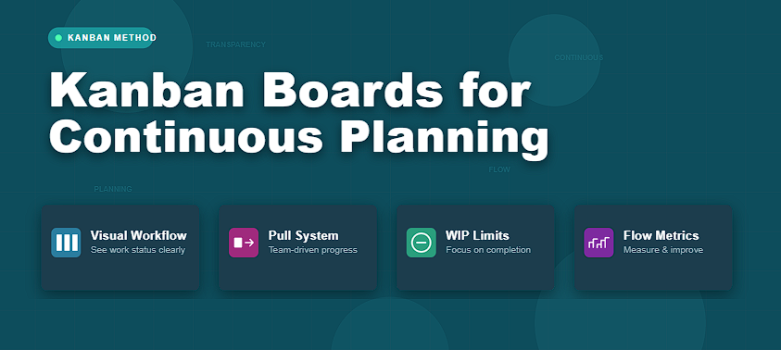
✔️ limiting work in progress (WIP)
✔️ making bottlenecks visible
✔️ signaling when to pull new work
✔️ supporting fast, small adjustments
Planning happens through flow control, not forecasts alone.
✅ Core Elements of a Kanban Board Used for Planning
A Kanban board that supports continuous planning must be intentionally designed.
Key elements include:
✔️ clearly defined workflow stages
✔️ explicit WIP limits
✔️ visible blocked items
✔️ clear entry and exit criteria
✔️ policies for prioritization
Without these, the board becomes a task list—not a planning tool.
✅ Kanban Boards for Continuous Planning
How visual flow control replaces fixed planning cycles.
| Board Element | Planning Purpose | Impact on Flow |
|---|---|---|
| Backlog / Ready Column | Holds prioritized work waiting for capacity | Prevents premature starts |
| WIP Limits | Controls how much work can be active | Reduces overload and multitasking |
| Blocked Indicators | Highlights work that cannot progress | Forces early problem-solving |
| Explicit Policies | Defines when work can move forward | Improves consistency and predictability |
| Pull Signals | Indicates when to start new work | Aligns demand with capacity |
| Flow Metrics | Measures lead time and throughput | Supports data-driven adjustments |
✅ How Planning Decisions Happen on a Kanban Board
Planning decisions in Kanban are simple—but frequent:
✔️ start new work only when WIP allows
✔️ prioritize finishing over starting
✔️ pause new intake when bottlenecks appear
✔️ escalate blocked work quickly
✔️ rebalance capacity when flow slows
Each decision keeps the system stable without formal replanning sessions.
✅ Role of Project Managers in Kanban-Based Planning
In Kanban environments, project managers focus less on assignment and more on system health.
Key responsibilities include:
✔️ maintaining clear workflow policies
✔️ protecting WIP limits
✔️ facilitating flow discussions
✔️ removing systemic blockers
✔️ aligning demand with real capacity
✔️ communicating delivery expectations using flow data
The goal is not to push work faster—but to make flow smoother.
❌ Common Mistakes When Using Kanban for Planning
❌ treating the board as a to-do list
❌ ignoring WIP limits
❌ starting work without clear readiness criteria
❌ hiding blocked items
❌ changing priorities without finishing work
❌ measuring activity instead of flow
These mistakes break the planning signal the board is meant to provide.
⭐ Best Practices
✔️ design the board to reflect real workflow
✔️ enforce WIP limits consistently
✔️ plan by pulling work, not pushing it
✔️ review flow metrics regularly
✔️ use daily conversations to guide planning
✔️ improve policies incrementally
⭐ Final Thoughts
Kanban boards do not eliminate planning.
They distribute planning across every day of execution.
Teams using Kanban plan continuously—based on real capacity, visible work, and measurable flow. This makes delivery calmer, more predictable, and more sustainable.
Projects succeed with Kanban not because plans are fixed—
but because planning never stops.






