MElkhateeb
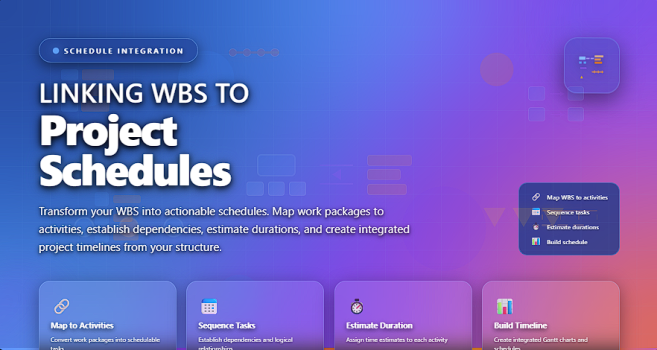
➡️ Introduction
Creating a Work Breakdown Structure (WBS) is only half the job.
The real value of a WBS is unlocked when it is correctly linked to the project schedule.
Top 5 Project Management Software
Many projects fail not because tasks were unclear, but because the breakdown of work was never translated into a realistic, measurable timeline.
Linking the WBS to the project schedule ensures that every piece of work has a time dimension, a sequence, and accountability.
This article explains why linking WBS to schedules matters, how to do it step by step, and best practices used by experienced project managers.
✅ Why Linking WBS to the Schedule Is Critical
When the WBS is not connected to the schedule:
❌ tasks are missed
❌ dependencies are unclear
❌ estimates become unreliable
❌ progress tracking is weak
❌ delays appear without warning
When WBS and schedule are properly linked:
✔️ every deliverable has a timeline
✔️ task sequencing becomes clear
✔️ dependencies are visible
✔️ progress can be measured accurately
✔️ forecasting becomes possible
In simple terms:
The WBS defines what work is needed — the schedule defines when it will happen.
✅ How WBS and Project Schedules Work Together
Translating structured work into a realistic project timeline
| WBS Element | Role in Scheduling | Scheduling Output |
|---|---|---|
| Work Packages | Smallest manageable units of work | Converted into individual schedule activities |
| WBS Dictionary | Defines scope, assumptions, and constraints | Improves duration accuracy and sequencing |
| Deliverables | Represent measurable completion points | Used to create milestones |
| Hierarchy Levels | Show relationships between work components | Help define task dependencies and sequencing |
| Scope Boundaries | Prevents unplanned activities | Protects schedule from scope creep |
| Responsibility Assignment | Identifies ownership of work packages | Aligns resources with schedule activities |
✅ Linking WBS to the Project Schedule
From work packages to timeline execution.
| Step | WBS Activity | Schedule Outcome |
|---|---|---|
| 1. Identify Work Packages | Lowest-level deliverables | Becomes individual schedule activities |
| 2. Define Activities | Clarify tasks required | Detailed task list created |
| 3. Sequence Work | Logical relationships | Dependencies established |
| 4. Estimate Durations | Time per work package | Start and finish dates calculated |
| 5. Assign Resources | Who performs the work | Resource-loaded schedule |
| 6. Develop Baseline | Approved scope | Schedule baseline approved |
✅ Step-by-Step Explanation
✔️ Step 1: Start with Work Packages
Each work package in the WBS should translate into one or more schedule activities.
Avoid scheduling at a level higher than the work package — it hides detail and risk.
✔️ Step 2: Convert Work Packages into Activities
Ask:
- What tasks must be done to complete this work package?
- Can progress be measured clearly?
Each task becomes a schedulable unit.
✔️ Step 3: Define Logical Dependencies
Determine the order of work:
✔️ Finish-to-Start
✔️ Start-to-Start
✔️ Finish-to-Finish
This ensures realistic sequencing.
✔️ Step 4: Estimate Durations
Estimate time using:
- expert judgment
- historical data
- three-point estimating
Durations come from the WBS scope, not guesswork.
✔️ Step 5: Assign Resources
Link people, tools, or materials to each scheduled activity.
This reveals:
✔️ overloads
✔️ conflicts
✔️ unrealistic timelines
✔️ Step 6: Create and Approve the Schedule Baseline
Once aligned, the schedule becomes the official reference for tracking and control.
✅ Common Mistakes to Avoid
❌ Scheduling without a WBS
❌ Activities too large to track
❌ Missing dependencies
❌ Ignoring resource availability
❌ Updating the schedule without updating the WBS
✅ Best Practices
✔️ Keep WBS and schedule synchronized
✔️ Use consistent WBS codes in scheduling tools
✔️ Update both together during change control
✔️ Track progress at work-package level
✔️ Use milestones tied to WBS deliverables
⭐ Final Thoughts
Linking the WBS to the project schedule transforms planning into execution.
It ensures that every deliverable has a timeline, every task has ownership, and every delay has visibility.
The WBS defines the work.
The schedule controls the work.
Together, they drive project success.