
 MElkhateeb
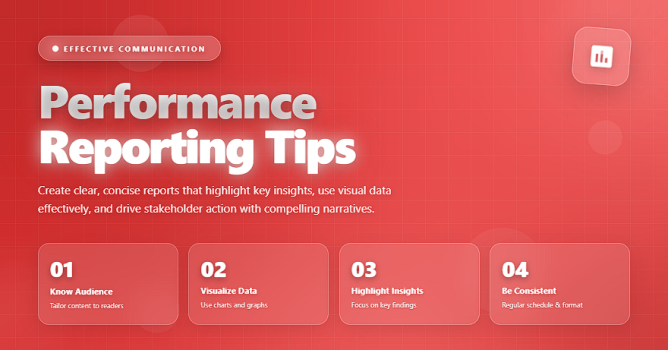
➡️ Introduction
Performance reporting is one of the most essential responsibilities of a project manager. It ensures that stakeholders understand where the project stands, what is going well, what needs attention, and how current performance compares to the plan.
Top 5 Project Management Software
Clear, consistent, and actionable performance reporting:
✔️ builds trust
✔️ reduces misunderstandings
✔️ enhances decision-making
✔️ prevents issues from becoming crises
✔️ improves accountability across the team
Yet many reports fail because they are unclear, too long, too technical, or missing critical information.
This article teaches you how to deliver high-value performance reports that stakeholders actually read — and act on.
✅ What Is Performance Reporting?
Performance reporting is the structured process of collecting, analyzing, and presenting project data to communicate progress against the baseline plans for:
- scope
- schedule
- cost
- quality
- risks
- resources
- overall health
It answers the key stakeholder question:
“Are we where we planned to be, and if not — why?”
✅ Key Elements of a Professional Performance Report
What stakeholders expect to see for clarity and transparency.
| Component | Description | Why It Matters |
|---|---|---|
| Project Status Summary | Overall health (Green/Amber/Red) with executive highlights. | Gives leadership an instant snapshot. |
| Schedule Performance | What’s on track, behind, or ahead. | Prevents timeline surprises. |
| Cost Performance | Budget spent vs budget planned. | Controls financial health. |
| Scope Updates | Changes approved, pending, or rejected. | Protects from scope creep. |
| Key Risks & Issues | Top risks, escalations, and mitigations. | Supports informed decisions. |
| Next Steps | Upcoming milestones and priorities. | Aligns expectations and actions. |
✅ Performance Reporting Best Practices
✔️ 1. Keep It Clear and Concise
Avoid overloading stakeholders with data they don’t need.
A performance report should highlight the most important information first, especially deviations from the plan.
✔️ 2. Use Visuals Whenever Possible
Charts, burn-down graphs, dashboards, and RAG indicators communicate faster than long paragraphs — especially for executives.
Useful visuals include:
✔️ schedule comparison charts
✔️ earned value graphs
✔️ milestone progress bars
✔️ risk heat maps
✔️ 3. Focus on Variances — Not Just Numbers
Stakeholders care about why something happened and what it means.
Explain deviations from baseline and propose next actions.
Example:
“Task X is delayed by 8 days due to vendor approval. Mitigation: escalation to sponsor and parallel testing.”
✔️ 4. Highlight Risks and Issues Early
Never wait for risks to turn into issues.
Performance reports should:
✔️ reveal top risks
✔️ track their status
✔️ show mitigation progress
✔️ identify blocked items
✔️ 5. Maintain Reporting Consistency
Use the same structure every reporting cycle.
Consistency builds clarity, increases trust, and makes comparison easier.
✔️ 6. Tailor Reports to the Audience
Executives need a high-level view.
Team members need more operational details.
Clients may prefer business-focused outcomes.
One report does NOT fit all.
✔️ 7. Use Data from Reliable Sources
Integrate data from:
✔️ PM software (Jira, Monday, Asana)
✔️ dashboards
✔️ resource management systems
✔️ financial tracking tools
Manually-created numbers lead to errors and mistrust.
✔️ 8. Keep the Language Neutral and Professional
Avoid emotional words or blame.
Focus on facts, insights, and solutions.
Performance reporting is an analytical — not personal — activity.
✔️ 9. Provide Clear Next Steps and Owners
A report without action is just information.
Define:
✔️ responsibilities
✔️ deadlines
✔️ expected outcomes
✔️ 10. Encourage Two-Way Communication
A performance report should invite discussion, not end it.
Encourage feedback, questions, and clarification from stakeholders.
⭐ Final Thoughts
Great performance reporting is not about producing long documents — it’s about communicating the right information at the right time so stakeholders can make informed decisions.
When done correctly, performance reporting:
✔️ increases transparency
✔️ strengthens trust
✔️ enhances project governance
✔️ reduces surprises
✔️ improves team accountability
Clear reporting doesn’t just show progress —
it drives smarter project decisions.






