
 MElkhateeb
➡️ Introduction
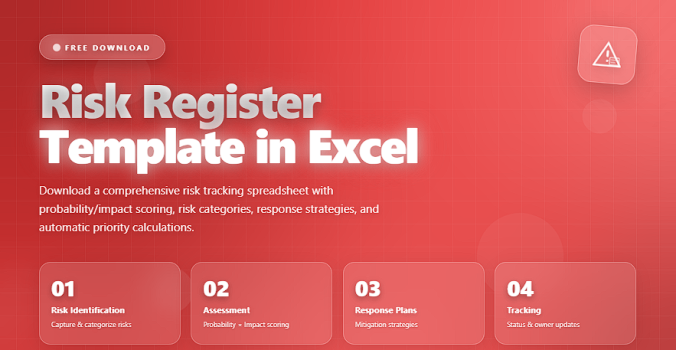
A Risk Register is one of the most powerful tools in project management. It helps project managers identify, analyze, prioritize, and track project risks throughout the entire lifecycle. While many advanced software solutions exist, Excel remains the most accessible, flexible, and widely used tool for building a comprehensive risk register.
Top 5 Project Management Software
Whether you’re managing a small project or a multi-department program, creating a well-structured Risk Register in Excel gives you:
✔️ visibility of all potential threats
✔️ clear prioritization using scoring formulas
✔️ automation through conditional formatting
✔️ a simple way to communicate risks with stakeholders
This article provides a ready-made structure, best practices, and a responsive table code that adapts to any device.
✅ What Is a Risk Register Template in Excel?
A Risk Register Template in Excel is a pre-built spreadsheet that organizes and tracks project risks using structured columns, scoring formulas, and visual cues.
It typically includes fields like:
- Risk Description
- Category
- Likelihood
- Impact
- Risk Score
- Mitigation Plan
- Risk Owner
- Status
Because Excel is universal, teams can share, edit, filter, and analyze risks easily.
✅ Key Fields in an Excel Risk Register Template
A complete structure for tracking risks effectively.
| Field | Description | Why It Matters |
|---|---|---|
| Risk ID | Unique number for easy tracking. | Prevents confusion between risks. |
| Risk Description | Clear statement of the risk event. | Ensures shared understanding. |
| Category | Classifies risks (technical, cost, schedule). | Improves analysis and reporting. |
| Likelihood (1–5) | Estimated probability of occurrence. | Supports scoring and prioritization. |
| Impact (1–5) | Severity if the risk happens. | Highlights critical risks. |
| Risk Score | Likelihood × Impact (automated formula). | Ranks risks objectively. |
| Mitigation Actions | Steps to reduce risk probability or impact. | Helps prevent risk escalation. |
| Risk Owner | Person accountable for monitoring the risk. | Creates ownership. |
| Status | Open, In progress, Mitigated, Closed. | Shows real-time updates. |
✅ How to Build a Risk Register in Excel (Step-By-Step)
✔️ 1. Create the Columns
Start with these essential columns:
Risk ID, Description, Category, Likelihood, Impact, Score, Owner, Mitigation, Status.
You can add more fields depending on project complexity (e.g., Triggers, Deadline, Response Strategy).
✔️ 2. Add Scoring Formulas
Use Excel formulas like:
Risk Score = Likelihood × Impact
Example formula:
= C2 * D2
Use conditional formatting to color-code high, medium, and low risks.
✔️ 3. Use Filters for Faster Reporting
Enable filters so teams can:
✔️ sort by score
✔️ filter by category
✔️ show only “High” risks
✔️ show risks assigned to specific team members
✔️ 4. Add Conditional Formatting
Use color scales:
- Red → High risks
- Yellow → Medium
- Green → Low
This improves visibility instantly.
✔️ 5. Automate Status Tracking
Use drop-down lists with:
✔️ Open
✔️ Monitoring
✔️ Mitigated
✔️ Closed
This keeps updates consistent.
✔️ 6. Review & Update Weekly
Your Excel risk register should be reviewed in:
✔️ team meetings
✔️ stakeholder reviews
✔️ steering committee meetings
A risk register is a living document — keep updating it.
🛠️ Why Excel Is Perfect for Risk Registers
✔️ Free and accessible
✔️ Simple to modify
✔️ Easy to automate with formulas
✔️ Works well for small and medium projects
✔️ Highly customizable
✔️ Supports dashboards and pivot tables
⭐ Best Practices for Excel Risk Registers
✔️ Keep descriptions short and specific
✔️ Use consistent scoring scales
✔️ Add visual cues for critical risks
✔️ Assign an owner to every risk
✔️ Keep the template simple but complete
✔️ Review and update the file frequently
⭐ Final Thoughts
An Excel Risk Register is a practical, powerful, and easy-to-use tool for managing project risks. Whether you’re a new project manager or leading a large initiative, this template ensures visibility, control, and proactive decision-making.
A well-designed risk register doesn’t remove the uncertainty —
it helps you control it with confidence.






