
 MElkhateeb
➡️ Introduction
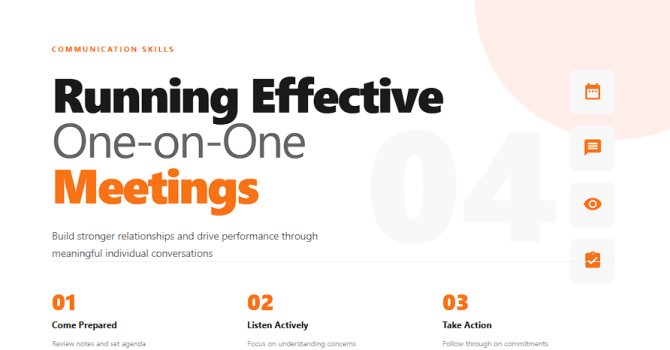
One-on-one meetings are one of the most powerful leadership tools available to any project manager.
They help you build trust, uncover issues early, coach your team, and ensure continuous alignment — all without the pressure of group environments.
Top 5 Project Management Software
When done well, 1:1s improve performance, engagement, motivation, and communication.
When done poorly, they feel like status updates or micromanagement.
This guide shows you how to run effective, structured, and purposeful one-on-one meetings that truly support your team.
✅ Why One-on-One Meetings Matter
✔️ Strengthen trust and connection
✔️ Provide a safe space for open conversation
✔️ Identify risks, conflicts, and blockers early
✔️ Improve performance through coaching
✔️ Align expectations and goals
✔️ Increase motivation and engagement
✔️ Create clarity for both manager and team member
1:1s are not optional — they are a leadership requirement.
✅ Essential Elements of Effective One-on-One Meetings
A structured guide to meaningful, productive conversations.
| Element | Why It Matters | How to Apply It |
|---|---|---|
| 1. Consistent Schedule | Builds trust and prevents issues from escalating. | Hold weekly or bi-weekly sessions at a fixed time. |
| 2. Clear Agenda | Keeps discussions focused and productive. | Use a shared document outlining topics, updates, and questions. |
| 3. Two-Way Conversation | Encourages openness and shared ownership. | Let the team member speak first — this is *their* meeting. |
| 4. Coaching & Support | Helps team members improve skills and performance. | Provide feedback, guidance, and resources for growth. |
| 5. Progress Review | Ensures alignment on goals, tasks, and performance. | Review tasks, accomplishments, and blockers openly. |
| 6. Action Items | Creates accountability and clarity moving forward. | Finish with clear next steps, owners, and due dates. |
| 7. Follow-Up | Shows reliability and reinforces accountability. | Review previous agreements at the start of each meeting. |
✅ How to Conduct Great One-on-One Meetings
✔️ 1. Prepare Ahead of Time
Check:
- current tasks
- past commitments
- blockers
- performance notes
- upcoming priorities
A prepared 1:1 feels meaningful and respected.
✔️ 2. Start With the Team Member
Let them speak first.
Ask:
- “How are you feeling about the week?”
- “What challenges are you facing?”
- “What do you need from me?”
This shifts the meeting from manager-driven to employee-centered.
✔️ 3. Discuss Progress and Blockers
Review:
✔️ Completed tasks
✔️ Tasks at risk
✔️ Dependencies
✔️ Workload concerns
This prevents surprises and keeps the project healthy.
✔️ 4. Offer Coaching and Support
Use the meeting to help the team member grow.
Provide:
✔️ Guidance
✔️ Problem-solving
✔️ Mentoring
✔️ Skill-building resources
✔️ 5. Give Constructive Feedback
Feedback should be:
✔️ Specific
✔️ Actionable
✔️ Balanced
✔️ Delivered calmly
Avoid vague statements.
Say:
“The last report had several data gaps. Let’s review how to improve clarity and consistency.”
✔️ 6. Align on Priorities
Ensure both sides agree on what matters most this week.
This prevents misalignment and unnecessary work.
✔️ 7. Document Action Items
Capture:
- next steps
- deadlines
- responsibilities
- risks
- decisions
Documentation transforms conversation into execution.
✔️ 8. End With Appreciation
A simple “Thank you for your work” increases motivation dramatically.
🛠️ Tools That Support Effective One-on-One Meetings
✔️ Monday.com – Task tracking, priorities, and workloads
✔️ Notion – Shared 1:1 pages and notes
✔️ Miro – Coaching maps and career development plans
✔️ Teams / Slack – Continuous communication
✔️ Google Docs – Shared agenda and action item tracking
❌ Common One-on-One Mistakes
❌ Turning the meeting into a status update only
❌ Doing all the talking
❌ Canceling 1:1s frequently
❌ Ignoring personal development
❌ Giving vague or emotional feedback
❌ Not preparing any agenda
❌ Addressing performance issues too late
⭐ Best Practices
✔️ Make the meeting a safe, open space
✔️ Keep it consistent — even during busy weeks
✔️ Focus on development, not punishment
✔️ Listen more than you speak
✔️ Always capture action items
✔️ Follow up reliably
⭐ Final Thoughts
Effective one-on-one meetings are one of the clearest signs of strong leadership.
They help you understand your people, support their growth, prevent problems early, and keep your project team aligned and motivated.
One great 1:1 meeting each week can prevent 10 problems later.






