
 MElkhateeb
➡️ Introduction
Clear, consistent status reporting is one of the most important responsibilities for any manager or project leader.
A well-structured status report helps teams stay aligned, informs stakeholders, highlights progress, and exposes risks before they become critical issues.
Top 5 Project Management Software
However, many managers struggle to communicate updates in a way that is:
✔️ simple
✔️ actionable
✔️ data-driven
✔️ aligned with leadership expectations
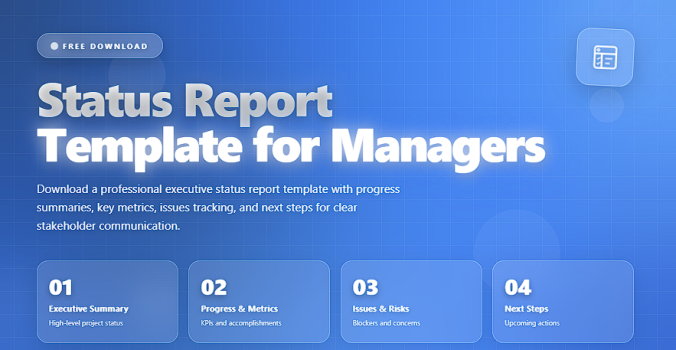
This article explains what makes an effective status report, provides a responsive-status-report template, and shows how managers can use it to improve clarity, accountability, and transparency.
✅ What Is a Status Report?
A status report is a structured summary that communicates a project’s progress, accomplishments, challenges, and next steps during a specific reporting period.
It helps answer critical questions:
- Where do we stand today?
- What has been done?
- What risks, delays, or blockers exist?
- What decisions or support do we need?
- What are the next steps?
A strong status report eliminates confusion and keeps stakeholders aligned.
✅ Status Report Components
A structured view of what every manager should include.
| Section | Description | Purpose |
|---|---|---|
| 1. Summary | One-paragraph overview of the project’s health. | Gives stakeholders an immediate big-picture view. |
| 2. Progress This Period | Key achievements, completed tasks, and milestones. | Shows momentum and productivity. |
| 3. Upcoming Work | What will be completed next week or next period. | Sets expectations and aligns priorities. |
| 4. Risks & Issues | Problems, blockers, and potential threats. | Ensures stakeholders are aware early. |
| 5. Decisions Needed | Approvals, escalations, or support requests. | Keeps executives engaged in removing barriers. |
| 6. KPIs / Metrics | Data-driven indicators that show performance. | Makes the report objective and measurable. |
| 7. Overall Project Health | Red, Yellow, Green (RAG) status. | Quickly communicates stability and urgency. |
✅ Status Report Template (Ready to Use)
Here is a clean, professional template you can copy into Word, Google Docs, or any reporting tool.
📌 Project Status Report Template
Project Name:
Reporting Period:
Report Date:
Prepared By:
1. Executive Summary (RAG Status)
- Overall Status: 🔵 / 🟡 / 🔴
- Summary of progress
- Key highlights
- Current concerns
2. Work Completed This Period
- Completed milestone(s)
- Finished tasks or deliverables
- Any improvements or achievements
3. Work Planned for Next Period
- Upcoming tasks
- Next milestone
- Estimated timelines
4. Risks and Issues
- New risks
- Escalated risks
- Blockers impacting timeline or cost
- Required actions
5. Key Metrics / KPIs
Examples:
- Schedule performance
- Budget usage
- Defect rate
- Velocity / throughput
- Resource utilization
6. Decisions Needed from Leadership
- Pending approvals
- Additional resources
- Scope clarifications
- Escalations
7. Additional Notes
- Dependencies
- Change requests
- Important communications
✅ Tips for Writing High-Quality Status Reports
✔️ Keep it concise
Executives prefer clarity over detail.
✔️ Focus on impact, not just activities
State how progress affects the project’s direction.
✔️ Use visuals when possible
Charts, dashboards, and RAG colors improve clarity.
✔️ Be honest about risks
Status reports lose value when they hide problems.
✔️ Update consistently
Weekly reports are ideal for most projects.
🛠️ Recommended Tools for Status Reporting
✔️ Monday.com
✔️ Smartsheet
✔️ Notion
✔️ Jira
✔️ Power BI dashboards
✔️ Google Docs / Word templates
❌ Common Mistakes to Avoid
❌ Overloading reports with unnecessary details
❌ Not aligning with stakeholder expectations
❌ Misreporting project health
❌ Focusing on tasks instead of outcomes
❌ Removing context behind delays
⭐ Final Thoughts
Status reports are more than communication tools — they are early warning systems, alignment instruments, and leadership checkpoints.
A well-structured report helps managers demonstrate professionalism, build trust, and keep the project moving in the right direction.
Great managers don’t just report status —
they communicate insight, strategy, and direction.






