
 MElkhateeb
✅Introduction
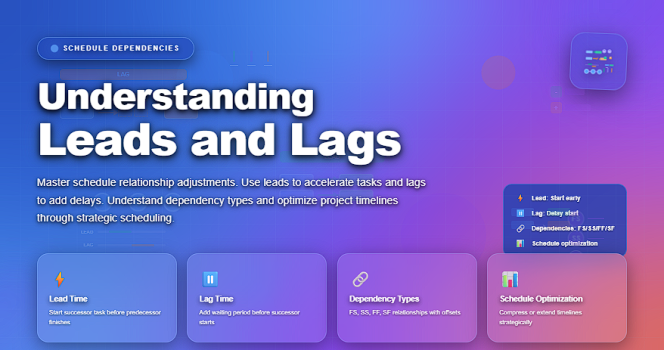
Effective project scheduling is not only about listing tasks and assigning dates. It is about understanding how activities relate to one another over time. One of the most important—but often misunderstood—concepts in schedule logic is the use of leads and lags.
Top 5 Project Management Software
Leads and lags help project managers model real-world workflow more accurately, reduce idle time, and create schedules that reflect how work is actually performed. When used correctly, they improve realism and predictability. When misused, they can distort timelines and hide risks.
This article explains what leads and lags are, how they work, when to use them, and common mistakes to avoid, using clear and practical explanations.
✅What Are Leads and Lags?
Leads and lags define time adjustments between two dependent activities in a project schedule.
They are applied to relationships such as:
• Finish-to-Start
• Start-to-Start
• Finish-to-Finish
• Start-to-Finish
Instead of activities starting or finishing immediately after one another, leads and lags allow for controlled overlap or delay.
In simple terms:
• Lead means overlap
• Lag means delay
✅What Is a Lag?
A lag is a waiting period inserted between two activities. It represents time that must pass before the successor activity can begin or finish.
Example of a Lag
Consider the following activities:
• Task A: Pour concrete
• Task B: Begin framing
Concrete must cure before framing can start. If curing takes three days, a 3-day lag is added between the two tasks.
This means:
• Task A finishes
• The schedule waits three days
• Task B starts
When Lags Are Commonly Used
Lags are appropriate when:
• Physical processes require waiting time
• Inspections or approvals must occur
• Materials need time to settle, dry, or stabilize
• External constraints enforce delays
Lags help ensure the schedule reflects real constraints, not just logical ones.
✅What Is a Lead?
A lead allows a successor activity to start before the predecessor finishes. It represents overlap between activities.
Example of a Lead
Consider:
• Task A: Write training materials
• Task B: Review training materials
If review can begin when the draft is 80% complete, Task B does not need to wait for Task A to finish fully. A lead allows Task B to start earlier.
This reduces overall schedule duration while maintaining logical sequencing.
When Leads Are Commonly Used
Leads are useful when:
• Work can be partially completed before handoff
• Teams can work in parallel
• Early feedback is beneficial
• Schedule compression is required
Leads support fast-tracking, but they also introduce risk if not managed carefully.
✅Leads and Lags in Dependency Types
Leads and lags can be applied to different dependency relationships.
Finish-to-Start (FS)
This is the most common relationship.
• Lag: successor waits after predecessor finishes
• Lead: successor starts before predecessor finishes
Start-to-Start (SS)
Activities start together or with an offset.
• Lag: successor starts a set time after predecessor starts
• Lead: successor starts earlier relative to predecessor start
Finish-to-Finish (FF)
Activities finish together or with an offset.
• Lag: successor finishes later
• Lead: successor finishes earlier
Understanding these combinations allows project managers to model schedules accurately.
✅Why Leads and Lags Matter in Project Management
Leads and lags improve scheduling quality by:
• Reducing unnecessary idle time
• Reflecting real execution behavior
• Supporting schedule optimization
• Improving forecasting accuracy
They help answer questions such as:
• Can work overlap safely?
• Where are true constraints?
• How can duration be reduced without cutting scope?
Used correctly, leads and lags make schedules realistic instead of theoretical.
✅Common Mistakes When Using Leads and Lags
Despite their usefulness, leads and lags are frequently misused.
Overusing Lags Instead of Activities
Using long lags to represent work or approvals hides accountability. It is usually better to model real work as a task rather than a lag.
Using Leads Without Risk Assessment
Leads increase concurrency but also increase risk. If early work changes, rework may be required.
Applying Leads and Lags Without Documentation
Unexplained leads and lags confuse stakeholders and auditors. Each lead or lag should have a clear justification.
Masking Poor Planning
Leads and lags should not be used to force dates to “look right.” They must reflect real execution logic.
✅Best Practices for Using Leads and Lags
Experienced project managers follow these principles:
• Use leads and lags sparingly
• Prefer activities over long lags
• Document the reason for each lead or lag
• Review them during schedule risk analysis
• Revalidate them when scope or sequencing changes
Leads and lags are precision tools—not shortcuts.
✅Leads and Lags vs. Fast-Tracking and Crashing
Leads are often associated with fast-tracking, where activities overlap to shorten the schedule. Lags, on the other hand, often reflect natural constraints rather than optimization.
It is important to distinguish:
• Fast-tracking increases risk without increasing cost
• Crashing increases cost to reduce duration
• Leads and lags are scheduling mechanisms, not strategies themselves
Understanding this distinction prevents misuse during schedule compression.
✅Final Thoughts
Leads and lags are essential concepts for building realistic and professional project schedules. They allow project managers to represent how work actually happens—rather than forcing artificial sequencing.
When applied thoughtfully, they improve efficiency, clarity, and predictability. When applied carelessly, they obscure logic and increase risk.
Strong project managers use leads and lags to reflect reality—not to manipulate timelines.






