
 MElkhateeb
➡️ Introduction
Even the best-planned project schedules rarely unfold exactly as expected. Dependencies shift, assumptions change, and new information emerges as the project progresses.
This is why experienced project managers treat a timeline as a living document — reviewed frequently and adjusted thoughtfully.
Top 5 Project Management Software
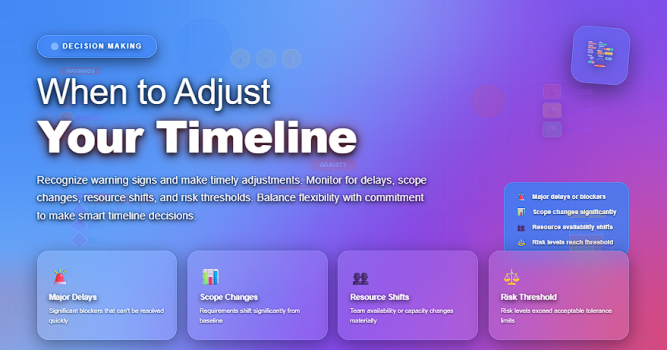
Knowing when to adjust your timeline is just as important as knowing how to build it. Adjusting too early causes unnecessary churn; adjusting too late results in delays, cost overruns, and frustrated stakeholders.
This guide explains the key moments when a timeline should be re-evaluated and provides practical examples that help project managers maintain control without overreacting.
✅ Key Moments When You Should Adjust Your Project Timeline
Triggers that indicate your schedule needs a controlled update.
| Trigger | Description | Impact on Timeline |
|---|---|---|
| Critical Path Changes | Dependencies shift or tasks take longer than planned. | Direct schedule extension unless re-sequenced. |
| Scope Adjustments | Approved change requests increase or reduce workload. | Might require new tasks, durations, or milestones. |
| Resource Availability Issues | Team members, equipment, or vendors become unavailable. | Delays unless alternate resources are secured. |
| Risk Events Occur | Identified risks materialize or new risks emerge. | May trigger mitigation or contingency plans. |
| Quality Rework | Deliverables fail QA checks or require correction. | Extra cycles extend task durations. |
| External Dependencies Slip | Vendor delays, client approvals, regulatory reviews. | Timeline shifts outside your control. |
| Performance Variances | Actual progress deviates from baseline. | Requires re-baselining or revised forecasts. |
✅ Deep Dive: The Key Signs Your Timeline Needs Adjustment
✔️ 1. When Your Critical Path Changes
The critical path defines the minimum project duration.
If a critical task slips, even by one day, the entire project slips.
Adjust when:
- task durations are underestimated
- dependencies shift
- resources are overbooked
Critical path shifts = immediate trigger for timeline reassessment.
✔️ 2. When Approved Scope Changes Affect Workload
Change requests may add new tasks, expand deliverables, or modify performance criteria.
Adjust the timeline if:
- new features require additional work
- removal of scope accelerates deadlines
- clients request significant redesigns
Scope changes must always be reflected in the schedule.
✔️ 3. When Resources Become Unavailable
Illness, turnover, vendor delays, or competing priorities can impact availability.
Adjust your timeline when:
- a key specialist is unavailable
- equipment is delayed
- external teams cannot meet their commitments
If alternatives exist, you may minimize schedule impact.
✔️ 4. When Risks Materialize or New Risks Emerge
Risk events often impact duration, sequencing, or resource usage.
Adjust when:
- mitigation activities take longer than expected
- contingency plans extend work
- new threats require additional safeguards
Risk realization = timeline revision.
✔️ 5. When Quality Issues Require Rework
Rework drains time, resources, and focus.
Update the timeline if:
- testing uncovers critical defects
- deliverables failed to meet acceptance criteria
- additional review cycles are required
Quality must never be sacrificed to “protect the timeline.”
✔️ 6. When External Parties Delay Deliverables
Vendors, government agencies, clients, subcontractors, and partners influence project pace.
Adjust your schedule if:
- waiting for approvals
- waiting for materials
- external sign-offs slip
External dependencies often create the most unpredictable delays.
✔️ 7. When Variance Data Shows the Project Is Off Track
Use Earned Value, burn-down charts, and milestone reviews to check timeline health.
Adjust when variance trends show:
- tasks consistently slipping
- unclear requirements causing stoppages
- underestimated durations repeating across phases
The earlier adjustments are made, the better the recovery.
✅ How to Adjust a Timeline the Right Way
✔️ evaluate all dependencies before modifying dates
✔️ communicate changes early to avoid surprises
✔️ update the baseline only after formal approval
✔️ ensure revised timelines are realistic, not optimistic
✔️ link new dates to scope, cost, and resources
✔️ record the reason for each adjustment (audit trail)
Adjustments must be controlled, not reactive.
❌ Mistakes to Avoid When Adjusting a Timeline
❌ updating dates without stakeholder alignment
❌ adjusting timelines without updating resource plans
❌ changing the baseline too frequently
❌ ignoring downstream impacts
❌ hiding delays instead of escalating early
Timeline transparency protects project credibility.
⭐ Final Thoughts
Timeline adjustments are not a sign of weak planning — they are a sign of adaptive, data-driven project management.
Great PMs monitor performance continuously, evaluate the impact of every change, and update the schedule with discipline and clarity.
“Plans are nothing. Planning is everything.” — Eisenhower
The real strength lies not in creating a perfect plan, but in managing change effectively.






